EstontincPublished 4 min read
Google Play subscriptions: new features for usage-based billing, team seats and retention
Google Play announced new ways to sell and retain subscriptions, from prepaid usage billing to team seats. What each feature does and which apps benefit.
Google Play subscriptions are getting their biggest set of changes in years. On 29 September 2026, Google Play announced new capabilities on the Android Developers Blog, including usage-based billing, multi-quantity purchases for teams, mixed carts and bundles across developers, plus tools to keep subscribers from leaving.
If your business sells, or plans to sell, a subscription inside an Android app, these features change which pricing models are practical. Here is what was announced, according to Google Play’s official post, and how we suggest preparing.
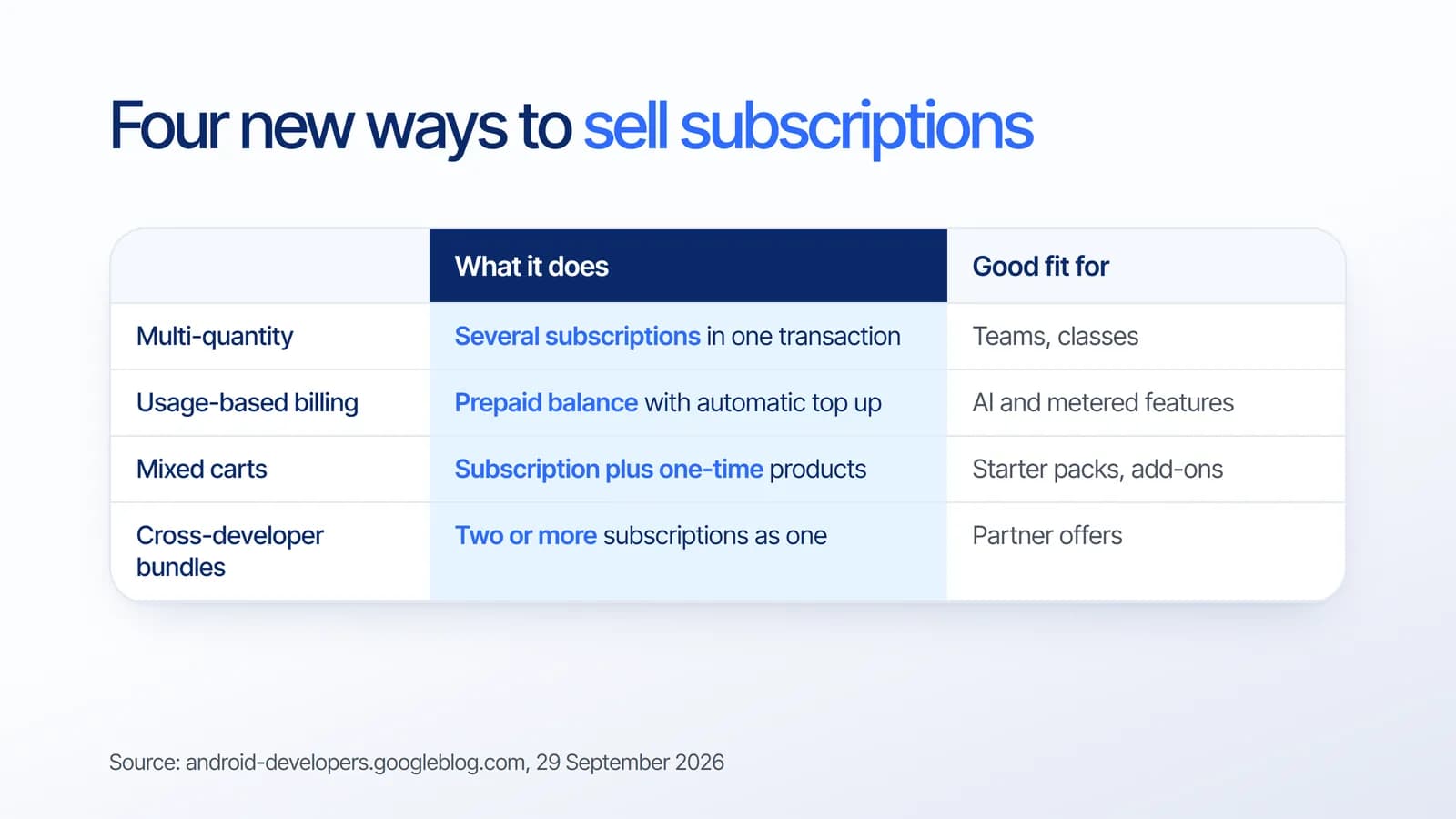
Four new ways to sell subscriptions on Google Play
Multi-quantity subscriptions
Multi-Quantity Subscription Purchase lets a user make multiple subscription purchases in a single transaction, then assign them as seats to team members or students. Until now, team plans on mobile usually needed a workaround, such as a web checkout. Google Play points to productivity, education and generative AI apps as the natural fit.
Usage-based billing
Usage-Based Billing lets you set up prepaid metered billing, where the user’s balance tops up automatically whenever it falls below a set threshold. This suits apps whose costs vary with use, especially AI generation features where every request has a real compute cost.
Mixed carts
Mixed Carts allows an auto-renewing subscription and one-time products to be processed in a single API call and a unified checkout. A fitness app, for example, could sell a monthly plan together with a one-time starter program in one purchase.
Cross-developer bundling
Cross-Developer Bundling lets you create and sell a hard bundle of two or more complementary subscriptions, either across your own portfolio of apps or together with another developer.
Tools to reduce subscription churn
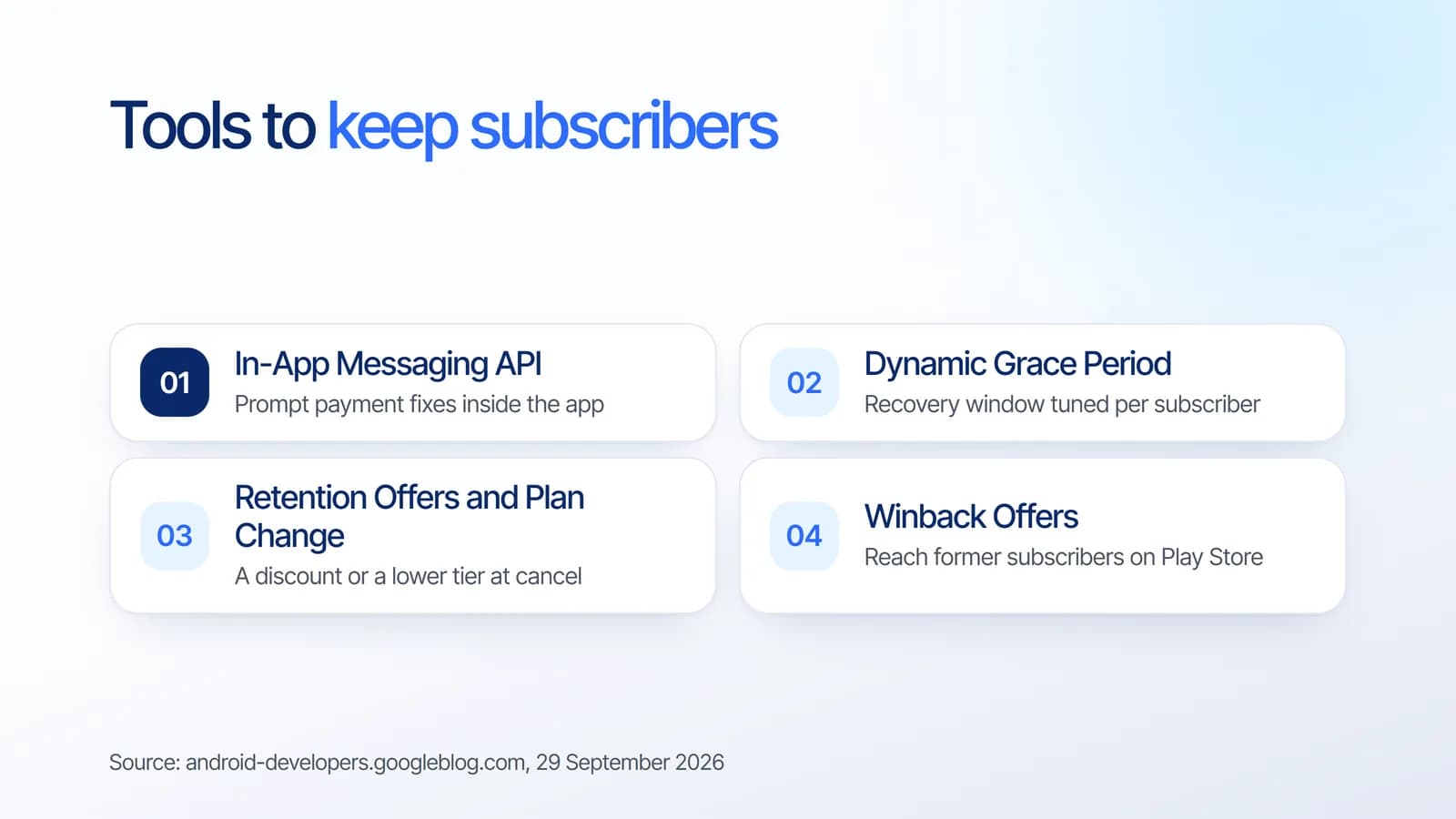
Selling a subscription is half the work. The same announcement covers the other half, keeping subscribers:
- In-App Messaging API. Prompts users to fix a payment problem and notifies them of price changes inside the app. Google Play says it is available now to all developers and strongly encourages adopting it.
- Dynamic Grace Period. Uses machine learning and heuristic models to tailor the grace period for each subscriber after a payment decline.
- Retention Offers. Shows a developer-funded incentive, such as a discount, directly in the Play Store cancellation flow.
- Plan Change. Suggests a lower-priced tier to a user who is about to cancel.
- Subscription Winback Offers. Reaches former subscribers directly on the Google Play Store.
When are these features available?
Not everything is open to every developer yet. Google Play notes that many of these features are currently available or rolling out through its Early Access Program, and suggests contacting your Google Play partner manager if you are interested. The In-App Messaging API is the one it explicitly describes as available now to all developers.
That means the practical step today is planning: decide which model fits your product, so you are ready when access opens for your account.
How to prepare your app
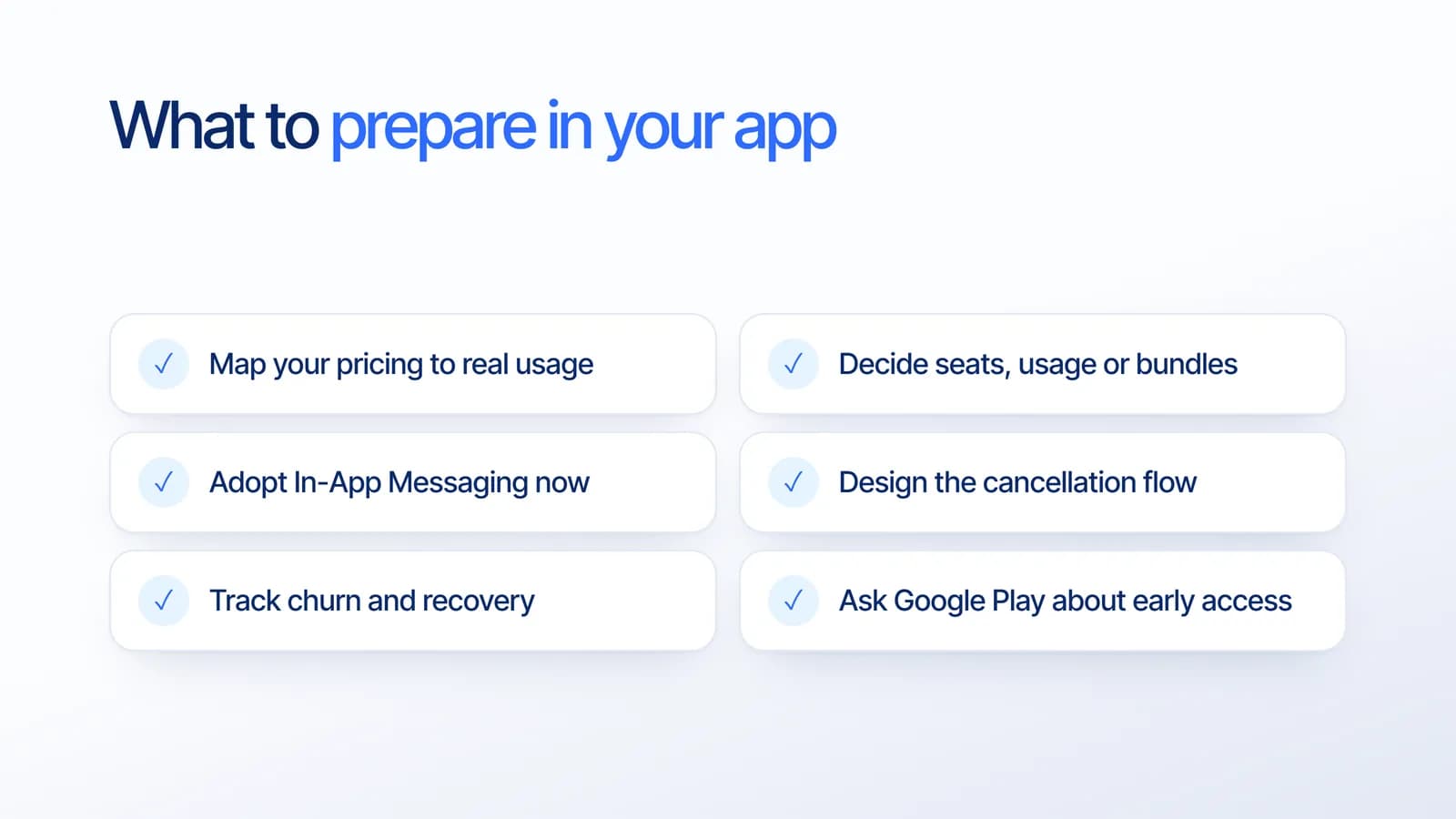
- Map your pricing to real usage. List what actually costs you money per user, such as AI requests, storage or support.
- Choose the model. Seats for teams, usage for metered features, bundles for partner offers. Often a flat plan plus usage top up is the simplest start.
- Adopt the In-App Messaging API now. It is available today and recovers payments that would otherwise fail silently.
- Design the cancellation flow. Decide what you would offer a user who wants to leave: a discount, a lower tier, or nothing.
- Measure churn and recovery. You need a baseline before you can tell whether an offer works.
If you also sell on iPhone, compare this with Apple’s changes in our article on iOS 27 subscription bundles and suites, so both stores share one pricing logic.
What it means for your business
For years, mobile subscriptions pushed every product toward one shape: one user, one flat monthly price. Team seats and usage billing let pricing follow how customers really use the product. That matters most for B2B tools, education apps and AI features, where a flat price is either too expensive for light users or loss-making for heavy ones.
Billing logic is also real engineering work. Entitlements, seat assignment and usage balances need a reliable backend, and mistakes show up directly as lost revenue. We suggest including it in the estimate from the start. Our guide to app development cost explains how features like this affect the budget.
How Estontinc helps
Estontinc is a software house in Malang with 100+ projects and 50+ clients over more than six years. Through our mobile app development service we design the pricing flow, integrate Google Play Billing and build the retention screens. Our custom software and API team builds the backend that tracks seats, usage and subscription status.
You get weekly demos, and the source code is yours. Tell us about your product through the contact page and we will reply within 24 hours with a plan, timeline and estimate.
Frequently asked questions
What is new in Google Play subscriptions in 2026?
On 29 September 2026, Google Play announced multi-quantity subscriptions, usage-based billing, mixed carts and cross-developer bundling, along with retention tools such as Dynamic Grace Period, Retention Offers, Plan Change and Winback Offers. Many are available or rolling out through an Early Access Program.
What is usage-based billing on Google Play?
Usage-based billing is prepaid metered billing. The user holds a balance that tops up automatically whenever it falls below a threshold you set. It fits apps whose costs vary with use, such as AI generation features, where a flat monthly price does not match what each user consumes.
Can I sell team or seat-based subscriptions in an Android app?
Yes. Multi-Quantity Subscription Purchase lets a user buy several subscriptions in one transaction and assign them as seats to team members or students. Google Play describes it as rolling out, so check availability for your account with your Google Play partner manager.
How can I reduce subscription cancellations on Google Play?
Start with the In-App Messaging API, available now to all developers, to recover failed payments. Then consider Retention Offers, which show a discount in the Play Store cancellation flow, Plan Change to suggest a lower-priced tier, and Winback Offers to reach former subscribers.
Sources
Facts and figures in this article come from these official sources.
- Android
- Mobile apps
- Google Play
- Subscriptions