EstontincPublished 4 min read
Google Play target API level 2026: what app owners must do before 1 November
Older Android apps that miss the new target API level stop reaching new users on newer phones. The minimums by device, the extension deadline and a practical checklist.
The Google Play target API level requirement for 2026 has been in effect since 31 August 2026. New apps and app updates must now target Android 16 (API level 36), and existing apps must target at least Android 15 (API level 35) to stay available to new users on newer Android versions. Apps that need more time can request an extension, but only until 1 November 2026.
Nothing crashes when an app falls behind, which is exactly why this rule is easy to miss. The app simply stops showing up for part of your potential customers. Here is what the official Play Console Help says, and what we recommend app owners check this week.
What is a target API level?
Every Android app declares a target API level, the Android version it was built and tested for (the targetSdk value in the build configuration). When an app targets a newer level, Android applies that version’s newer privacy, security and behavior rules to it.
Google Play raises the minimum every year. In its own words, an app below the requirement “wasn’t built to meet the safety and quality standard that these users expect from newer Android OS versions”.
Google Play target API requirements for 2026
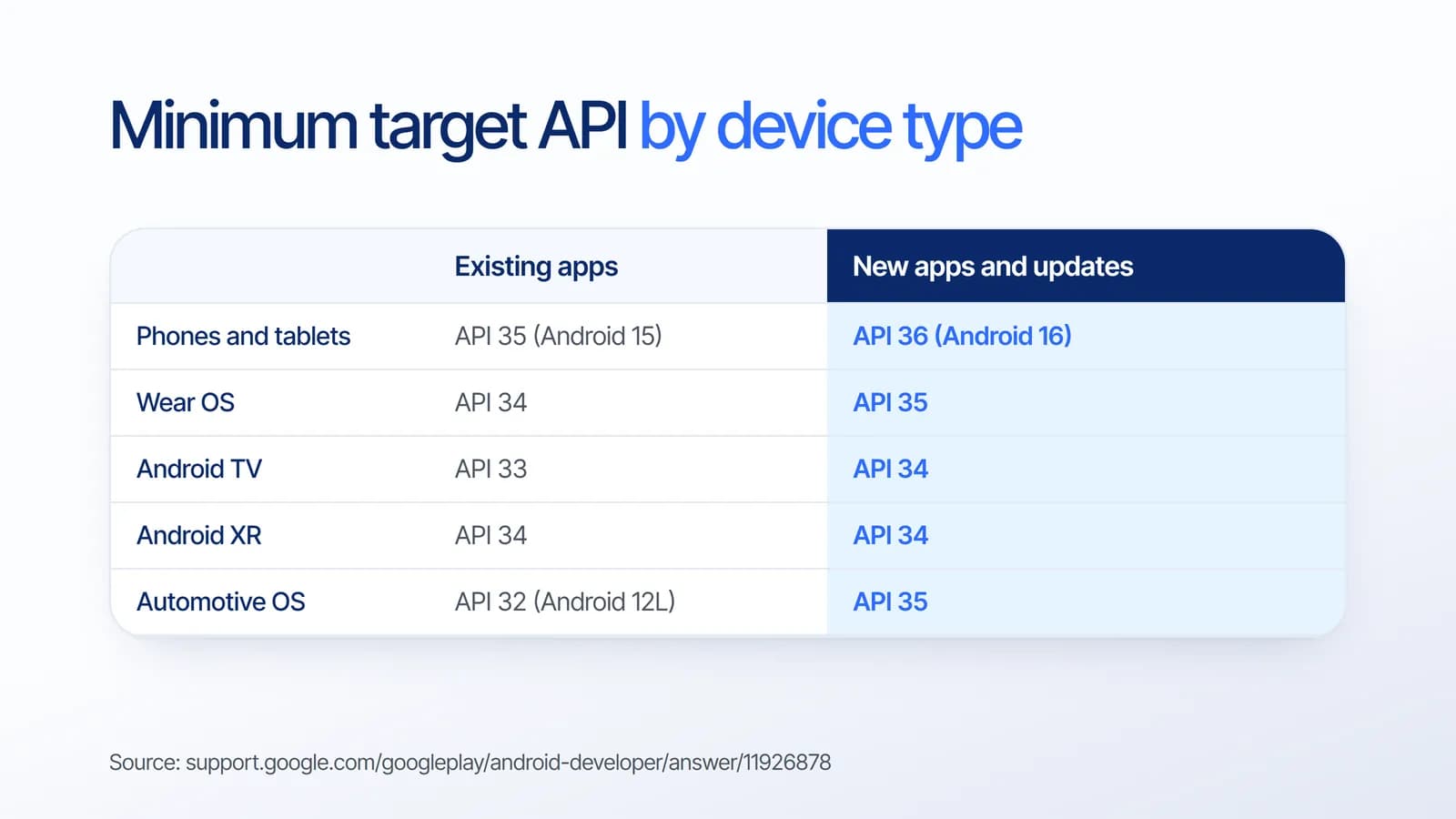
Phones and tablets get the headline numbers, but other form factors have their own minimums:
- Phones, tablets and Android Auto: existing apps API 35, new apps and updates API 36.
- Wear OS: existing apps API 34, new apps and updates API 35.
- Android TV: existing apps API 33, new apps and updates API 34.
- Android XR: API 34 for both existing apps and new apps and updates.
- Android Automotive OS: existing apps API 32 (Android 12L), new apps and updates API 35.
What happens to apps that miss the deadline?
An existing app that targets an older level is not removed from Google Play. Instead, it is only available on devices running the same Android version as its target API level, or an older one. New users with newer phones can no longer get it, so your audience shrinks a little more with every Android release they upgrade to.
For a business, that shows up as fewer installs and fewer new customers, without any error message to warn you. If your app is your main sales or service channel, that is a quiet but real cost.
The 1 November 2026 extension deadline
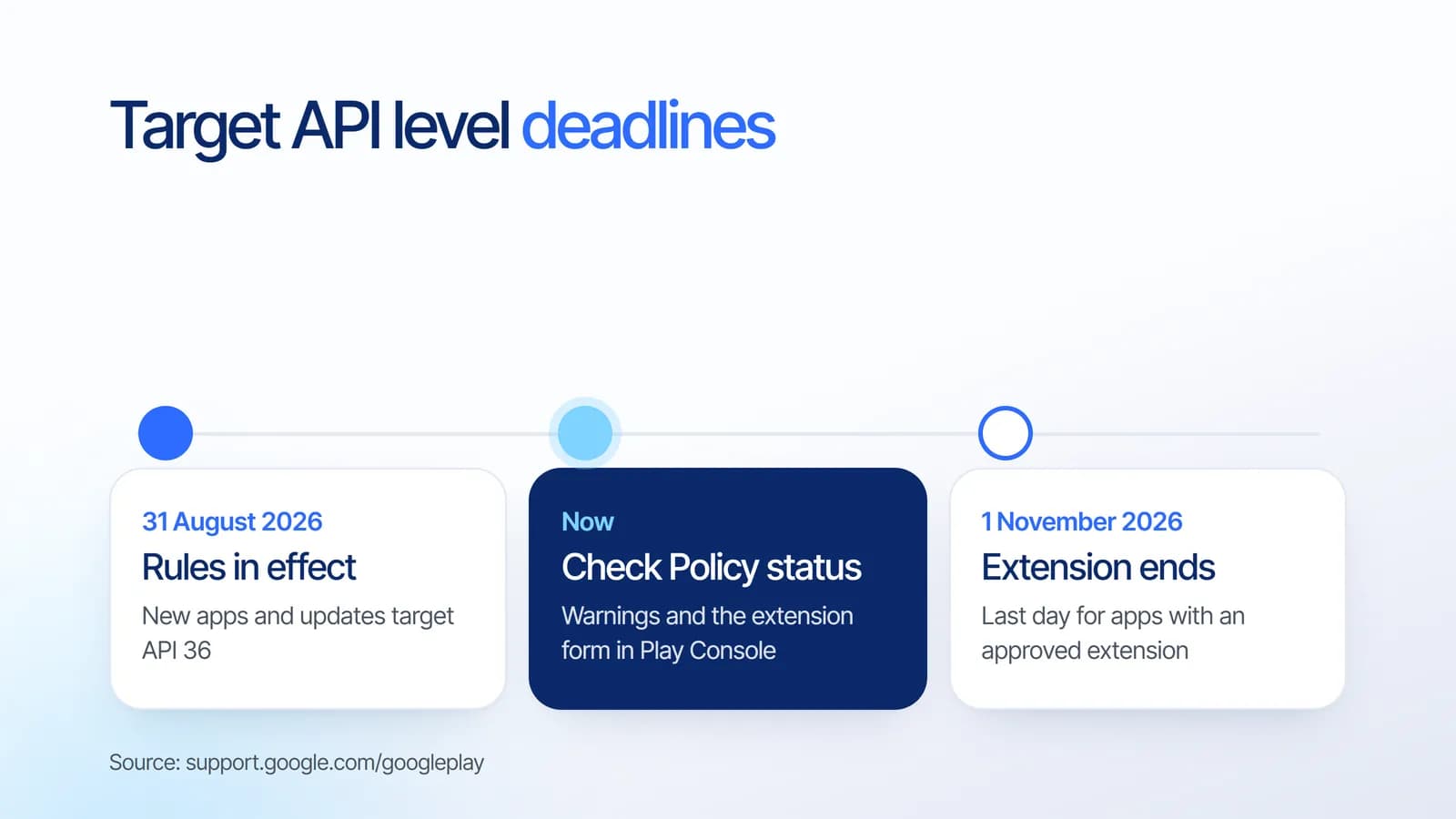
If you plan to update your app but need more time, you can ask Google Play to keep distributing it to all users until 1 November 2026. Only apps that are not compliant receive a warning and a notification in Play Console, and the extension form is on the details page of that warning on the Policy status page.
Treat the extension as a buffer, not a plan. The update itself still has to ship, and testing on Android 16 takes time when libraries and SDKs also need upgrading.
Checklist: how to update your app to API 36
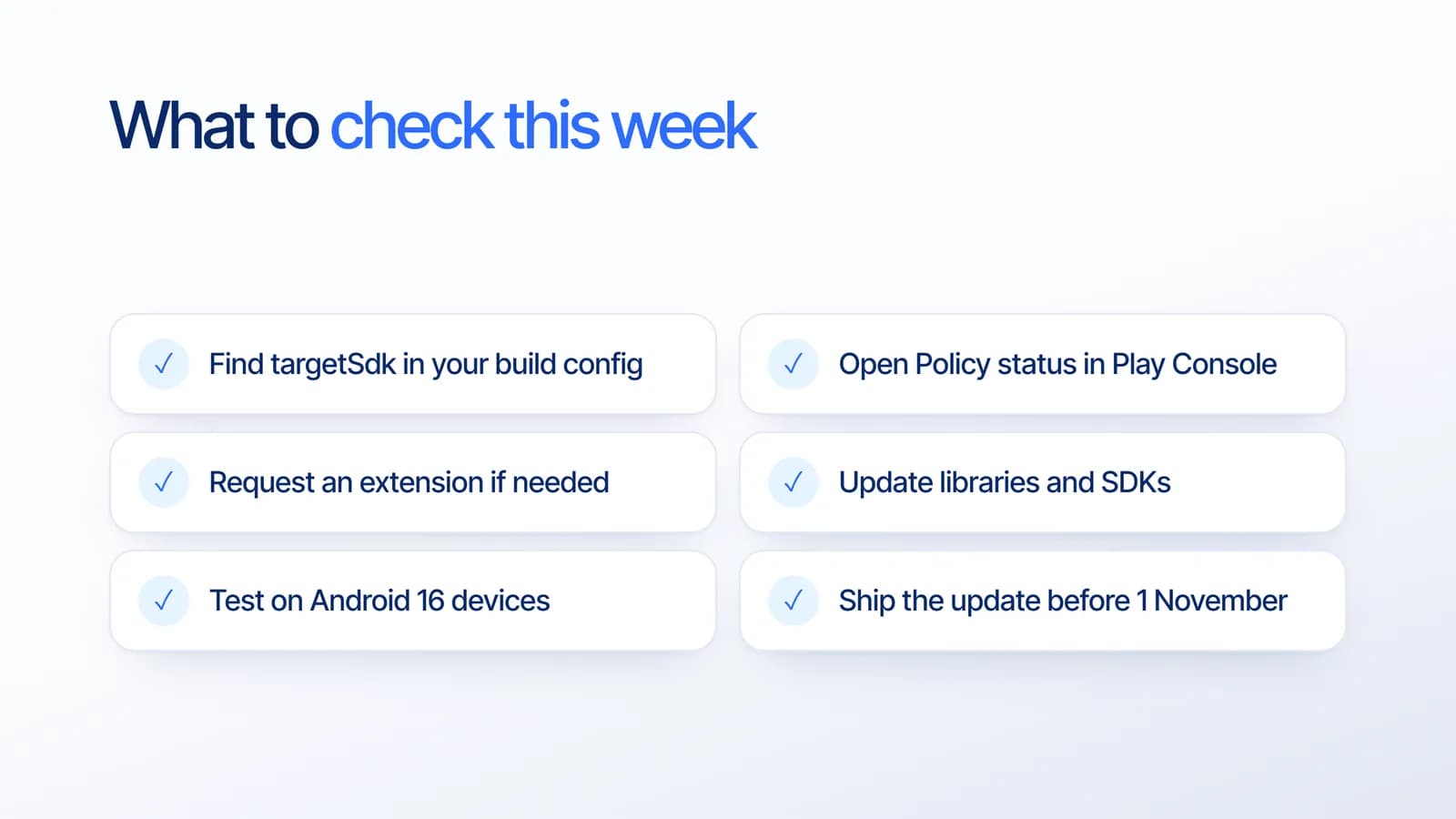
- Find your current target. Check targetSdk in the app’s build configuration, or ask your developer for it.
- Open Policy status in Play Console. See whether the app has a target API warning.
- Request an extension if you need it. The form is linked from the warning, and the extension runs until 1 November 2026.
- Update libraries and SDKs. Payment, analytics, maps and push notification SDKs often need newer versions to support a new target.
- Test on Android 16. Pay attention to permissions, notifications, background work and anything that touches personal data.
- Ship the update. Every new update must target API 36, so this also unblocks your future releases.
If you also distribute outside Google Play, our article on Android developer verification in 2026 covers the other change Android app owners in Indonesia need to know about.
What it means for your business
Target API rules turn app maintenance into a yearly requirement. An app that was finished two years ago and never touched again is the kind most likely to fall behind. We suggest budgeting for at least one platform update every year, in the same way you renew a domain or a server.
If you are planning a new app, ask for maintenance to be part of the plan from the start. Our guide to app development cost explains how ongoing costs fit into the overall budget.
How Estontinc helps
Estontinc is a software house in Malang with 100+ projects and 50+ clients over more than six years. Through our mobile app development service we audit existing Android apps, update the target API, upgrade libraries and test on current Android versions. Our cloud and DevOps team can automate builds and releases so future updates are faster.
Our maintenance service covers bug fixes and updates, monitoring and backups, and small improvements every month, so the next target API change is routine rather than a rush. Send us your Play Store link through the contact page and we will reply within 24 hours.
Frequently asked questions
What is the Google Play target API level requirement for 2026?
Since 31 August 2026, new apps and app updates on Google Play must target Android 16 (API level 36). Existing apps must target at least Android 15 (API level 35) to stay available to new users on newer Android versions. Wear OS, Android TV, Android XR and Automotive OS have their own minimums.
What happens if my app does not target API 35?
The app is not deleted, but it is only available on devices running the same Android version as its target API level or older. New users on newer Android versions can no longer get it, so you lose potential customers gradually and without any warning inside the app itself.
How do I request a Google Play target API extension?
Apps that are not compliant receive a warning and a notification in Play Console. Open the Policy status page, go to the details of the target API warning and fill in the extension form. The extension keeps the app available to all users until 1 November 2026.
How do I check the target API level of my Android app?
The target API level is the targetSdk value in the app’s build configuration, usually in the Gradle file of the app module. If you do not have access to the code, ask your developer, or check whether Play Console shows a target API warning on the Policy status page.
Sources
Facts and figures in this article come from these official sources.
- Android
- Mobile apps
- Google Play
- App maintenance