EstontincPublished 4 min read
How to automate legacy software with AI: what GitHub Copilot computer use changes
GitHub Copilot can now operate desktop apps, including legacy tools with no API. What it does, how approvals work, and how to choose between AI, an API, or a rebuild.
Many businesses want to automate legacy software, but the software was never built for it. There is no API, no command line, and the vendor may be long gone. On 1 October 2026, GitHub released computer use for GitHub Copilot in public preview, which lets an AI agent operate desktop applications through their interface, the same way a person would.
This is a real option for workflows that were too awkward to automate before. It is not a reason to skip good engineering. Here is what the feature does, according to GitHub’s official changelog, and how we suggest deciding when to use it.
What GitHub Copilot computer use does
Computer use is available in public preview in GitHub Copilot CLI and the GitHub Copilot app, on macOS and Windows. According to GitHub, Copilot can interact with desktop applications on your behalf, including:
- Reading accessible app content and visual context
- Clicking controls, entering and editing text, and pressing keys
- Scrolling and dragging
- Navigating workflows across several applications
This expands the tasks Copilot can help automate, including workflows in legacy and GUI-only software that do not provide an API, command-line interface, or MCP integration.
How to turn it on, and how it stays under control
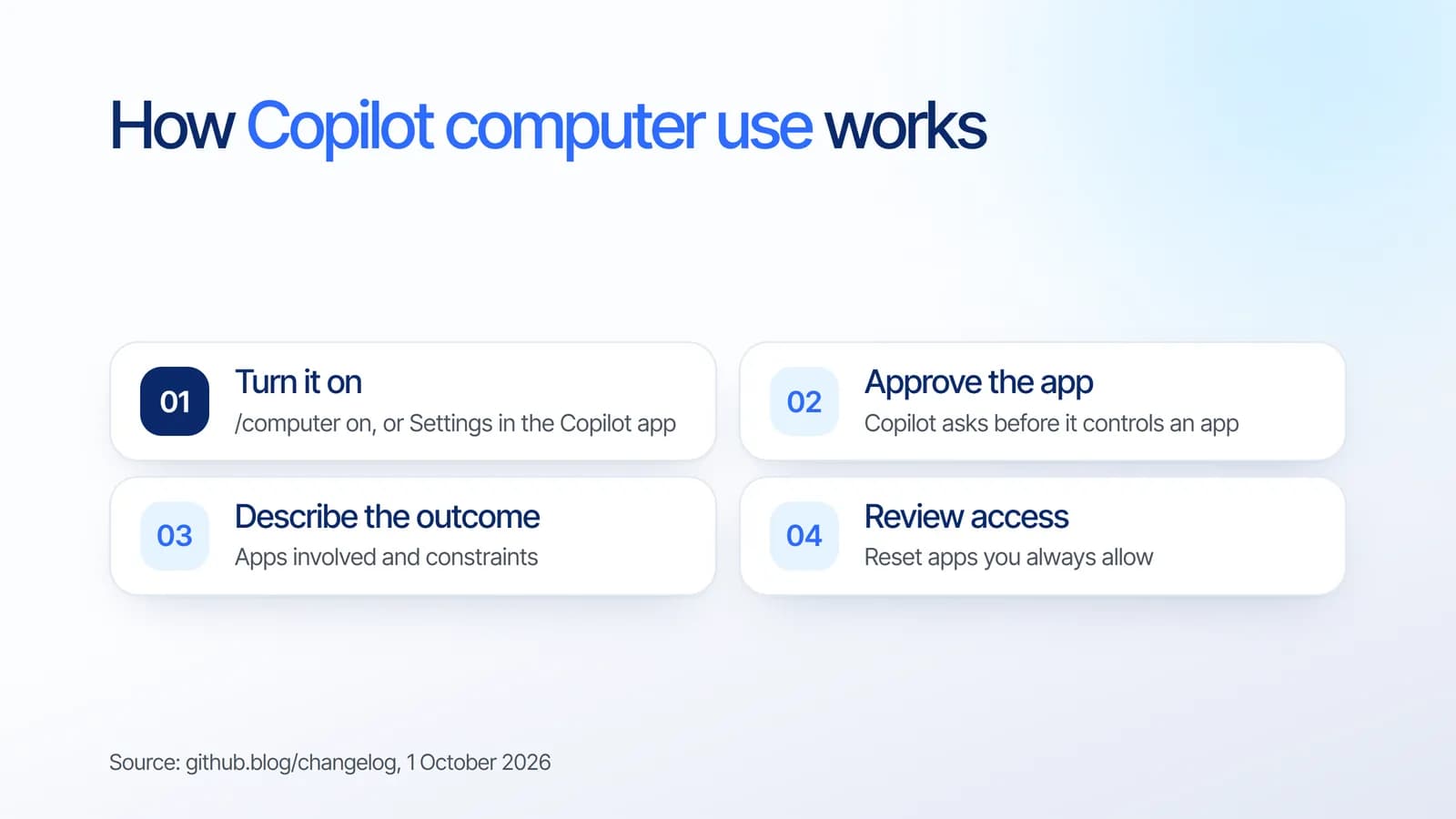
In Copilot CLI you run /computer on, check it with /computer show, and turn it off with /computer off. In the GitHub Copilot app, open Settings, select Computer Use, and enable it. On macOS, Copilot guides you through the Accessibility and Screen Recording permissions it needs.
Control matters more than speed here, and GitHub lists three safeguards:
- Approval first. Copilot asks for approval before controlling an app.
- Revocable access. You can review or reset the apps you chose to always allow.
- Organization control. Organization-managed settings can disable the feature.
GitHub also notes that computer use works best when you describe the outcome you want, the applications involved, and any important constraints, rather than every click.
AI computer use vs an API vs a rebuild
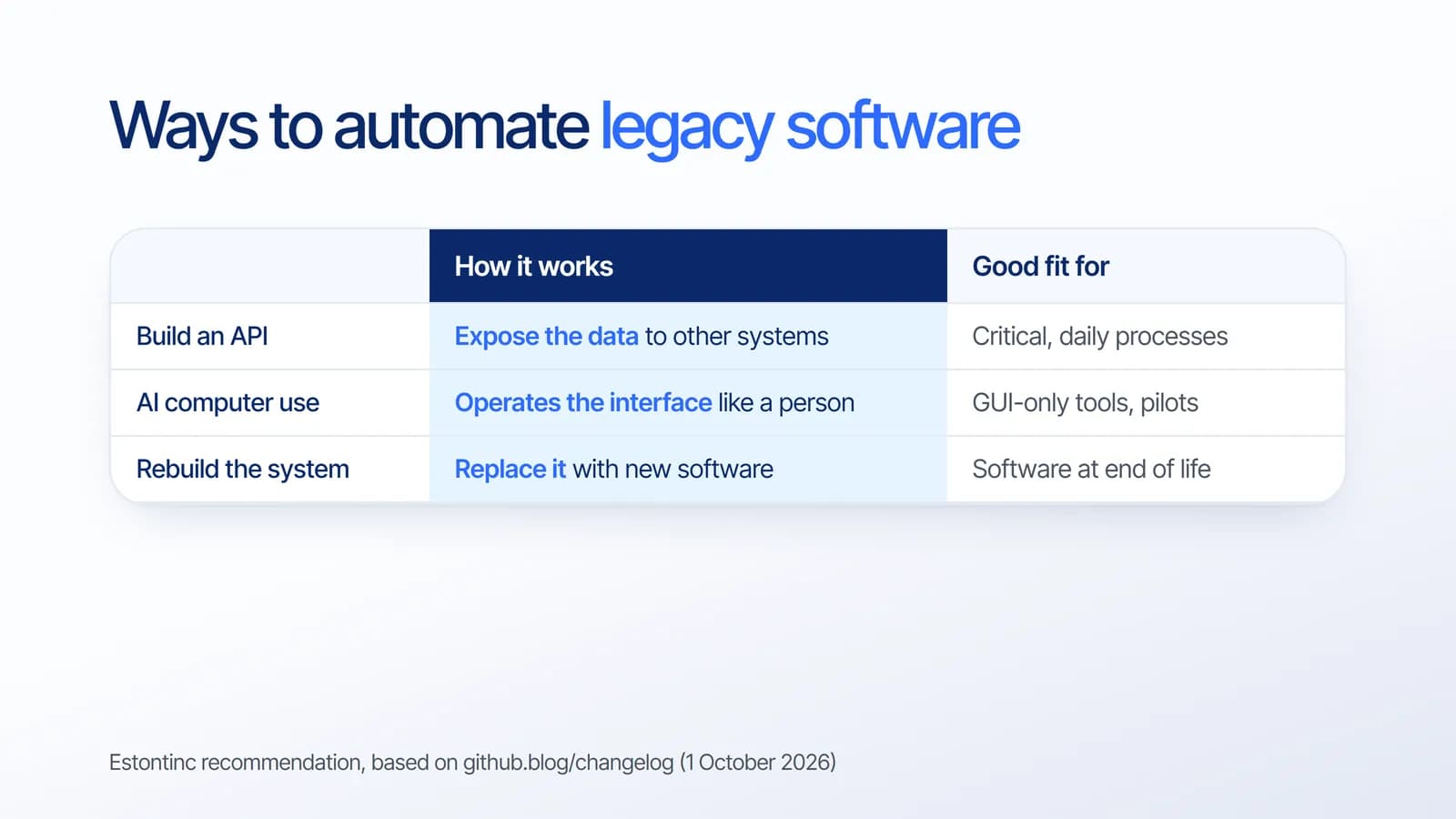
Computer use is one of three ways to automate a legacy system. Based on our project experience, this is how we would choose:
- Build an API when the process is critical and runs every day. An integration that reads and writes data directly is faster, easier to test, and does not break when a button moves.
- Use AI computer use for GUI-only tools, occasional tasks, and pilots. It lets you prove the value of automation before investing in an integration.
- Rebuild the system when the software is at the end of its life, unsupported, or blocking growth. Automation on top of it only delays the decision.
In practice, many teams combine them: start with computer use to learn where the time goes, then build an API for the steps that turn out to matter most. Our guide to MVP development follows the same idea of starting small and investing where the evidence points.
Before you automate: a practical checklist
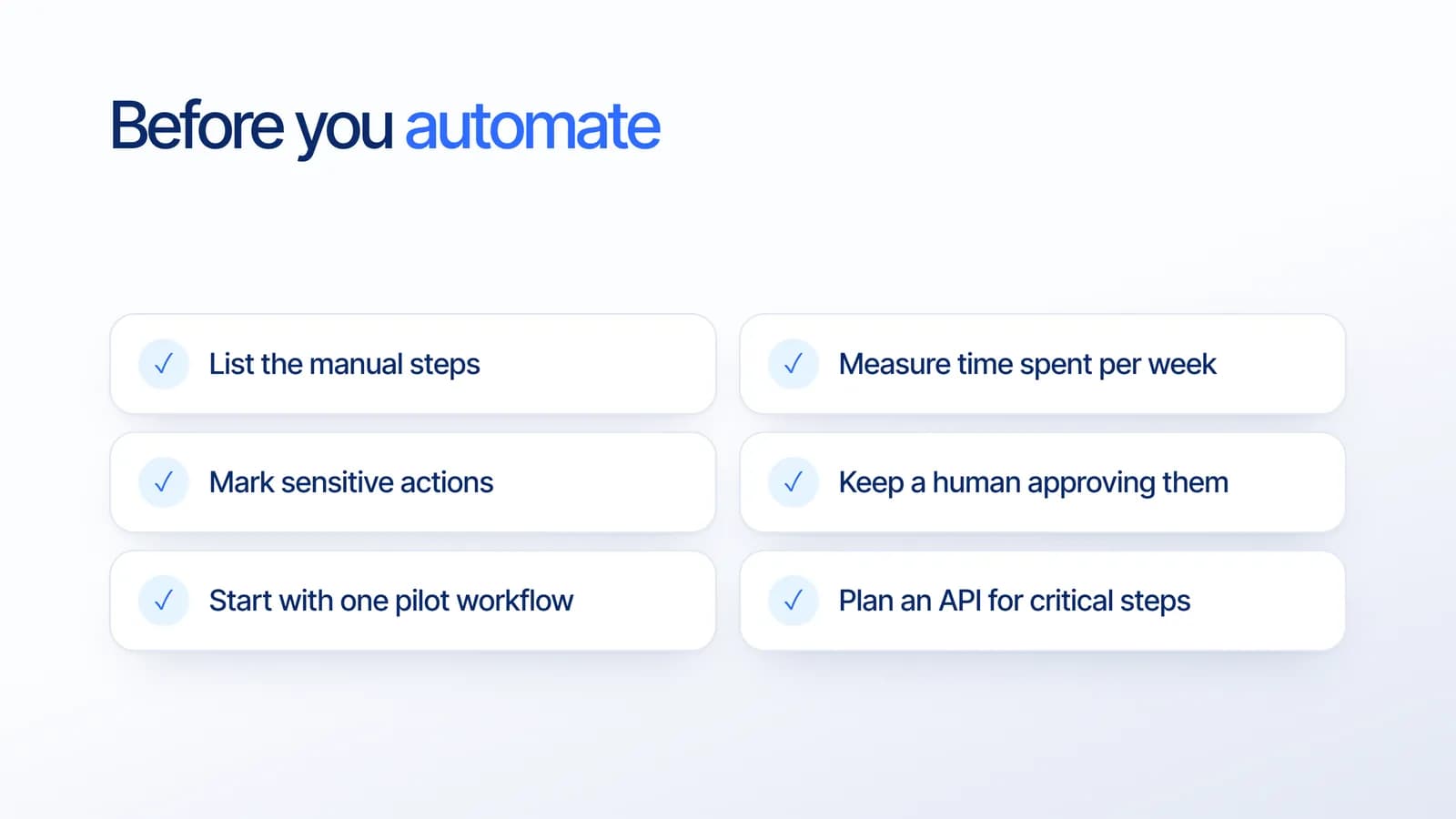
- List the manual steps. Write down what people actually click and type today, across every application involved.
- Measure the time. Hours per week tells you whether automation is worth it.
- Mark sensitive actions. Payments, deletions, and anything touching personal data need extra care.
- Keep a human approving them. Use the approval controls, and do not let any agent finish sensitive steps alone.
- Start with one pilot workflow. Prove it works and is reliable before expanding.
- Plan an API for critical steps. If the pilot succeeds, a proper integration makes it durable.
What it means for your business
For years, the choice for old desktop software was to live with manual work or pay for a full replacement. AI that can operate the interface adds a middle path, and that matters for companies running finance, inventory, or operations on tools that were never designed to connect.
The feature is still in public preview, so we suggest treating it as a way to explore and pilot, not as the foundation of a critical process. The businesses that benefit most will be the ones that pair it with clear approvals and a plan for the long term.
How Estontinc helps
Estontinc is a software house in Malang with 100+ projects and 50+ clients over more than six years. Through our AI development service we map your workflows and design AI automation with approvals and oversight. Through custom software and API development we build the integrations that make critical processes reliable, or replace a system when it is time.
We work under NDA, run weekly demos, and the source code is yours. Tell us which process is still manual through the contact page and we will reply within 24 hours. If you are weighing the budget, our guide to app development cost is a good starting point.
Frequently asked questions
Can AI automate legacy software without an API?
Yes. GitHub Copilot computer use, released in public preview on 1 October 2026, can operate desktop applications through their interface by reading content, clicking, typing, and moving between apps. GitHub says it extends automation to legacy and GUI-only software that has no API, command line, or MCP integration.
Where is GitHub Copilot computer use available?
It is in public preview in GitHub Copilot CLI and the GitHub Copilot app on macOS and Windows. In the CLI you turn it on with /computer on. In the app, open Settings, select Computer Use, and enable it. Organizations can disable it through managed settings.
Is AI computer use safe for business processes?
Copilot asks for approval before controlling an app, and you can review or reset apps you always allow. We still recommend keeping a human approving sensitive actions, starting with one pilot workflow, and building a proper API for critical processes, since the feature is in public preview.
Should I build an API or use AI to automate old software?
Build an API when the process is critical and runs daily, because direct integrations are faster and easier to test. Use AI computer use for GUI-only tools, occasional tasks, and pilots. Rebuild the system when it is unsupported or blocking growth. Many teams pilot with AI first, then add an API.
Sources
Facts and figures in this article come from these official sources.
- AI
- Automation
- Custom software
- Legacy systems