EstontincPublished 3 min read
MVP development: a step-by-step guide to launching your first version
What a minimum viable product really is, how to decide what goes into version one, and the mistakes that make MVPs slow and expensive.
MVP development means building the smallest version of your product that real users can actually use, so you learn what works before investing in everything else. An MVP (minimum viable product) is not a demo and not a half-finished app. It is a focused product that solves one clear problem well.
This guide explains what an MVP is, how it compares to a prototype and a full product, and the six steps we follow to take an idea to a launched first version. We also list the mistakes that most often make MVPs slow and expensive.
What is an MVP?
A minimum viable product is the first release that delivers real value to a specific group of users with the fewest features possible. “Minimum” keeps the scope small. “Viable” means it must work reliably and be good enough that people want to use it. The goal is learning: do users need this, and what should come next?
Prototype vs MVP vs full product
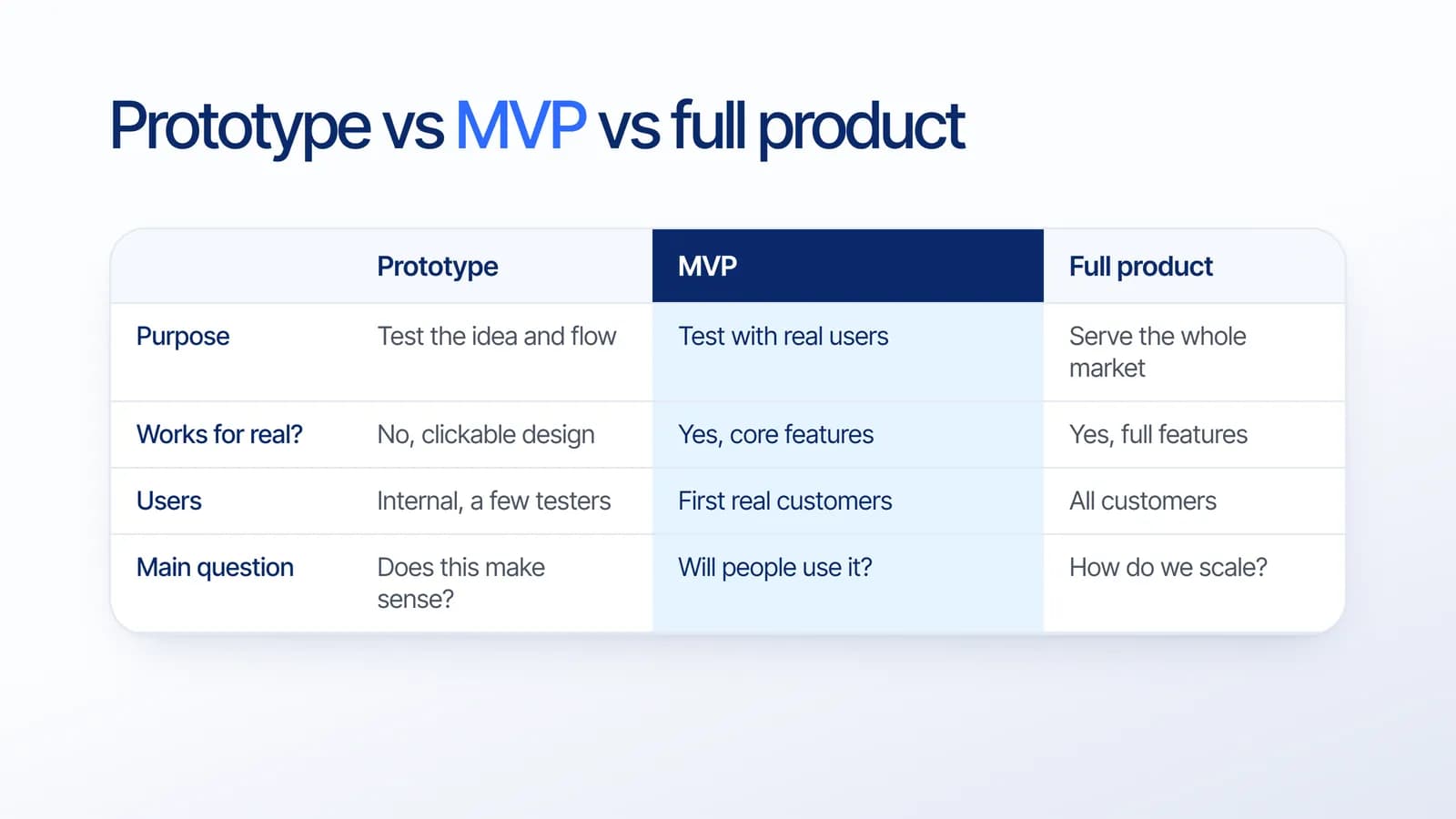
A prototype is usually a clickable design that tests whether the flow makes sense. An MVP is working software used by real customers. A full product serves the whole market with a complete feature set. Skipping straight to a full product is the most common way to spend a large budget on features nobody uses.
6 steps to build an MVP
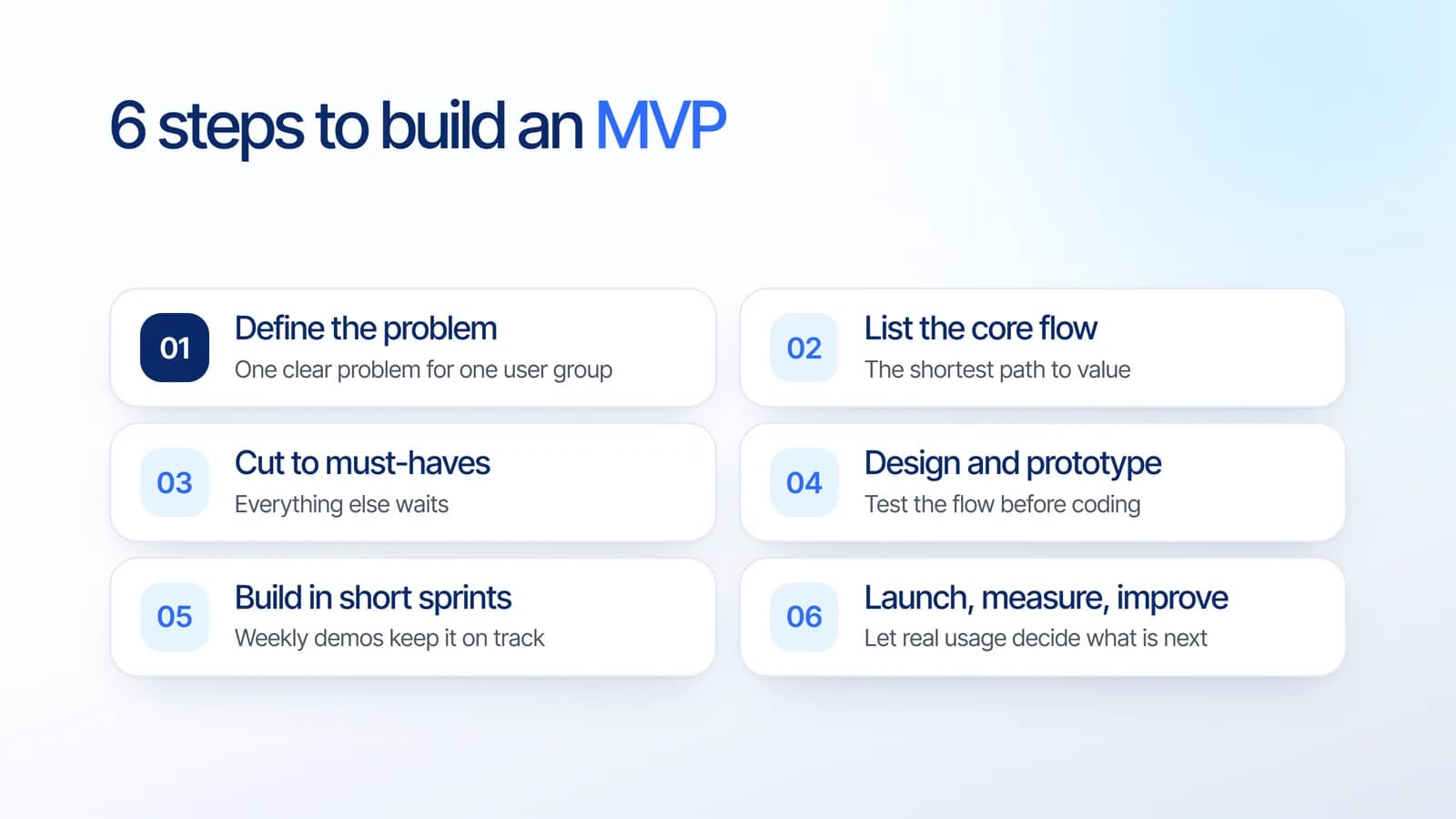
- Define the problem. Write one sentence: which user has which problem, and how do they solve it today? If you cannot write it clearly, the MVP will not be clear either.
- List the core flow. Map the shortest path from opening the product to getting value, for example “search, book, pay, get confirmation”.
- Cut to must-haves. Everything outside the core flow waits for later: extra roles, advanced settings, integrations that are nice but not essential.
- Design and prototype. Test the flow with a clickable prototype before coding. Fixing a screen in design takes hours; fixing it in code takes days. This is where UI/UX design pays for itself.
- Build in short sprints. Work in one or two week cycles with a demo at the end of each. You see progress, and priorities can shift as you learn.
- Launch, measure, improve. Decide before launch what success looks like, for example sign-ups, bookings or repeat use. Let real usage decide what to build next.
How to decide what goes into version one
For every feature, ask one question: can the user get the core value without it? If yes, it waits. Two things are often forgotten and should not be: a simple admin panel to manage data and users, and basic analytics to measure whether the MVP works.
MVP mistakes to avoid
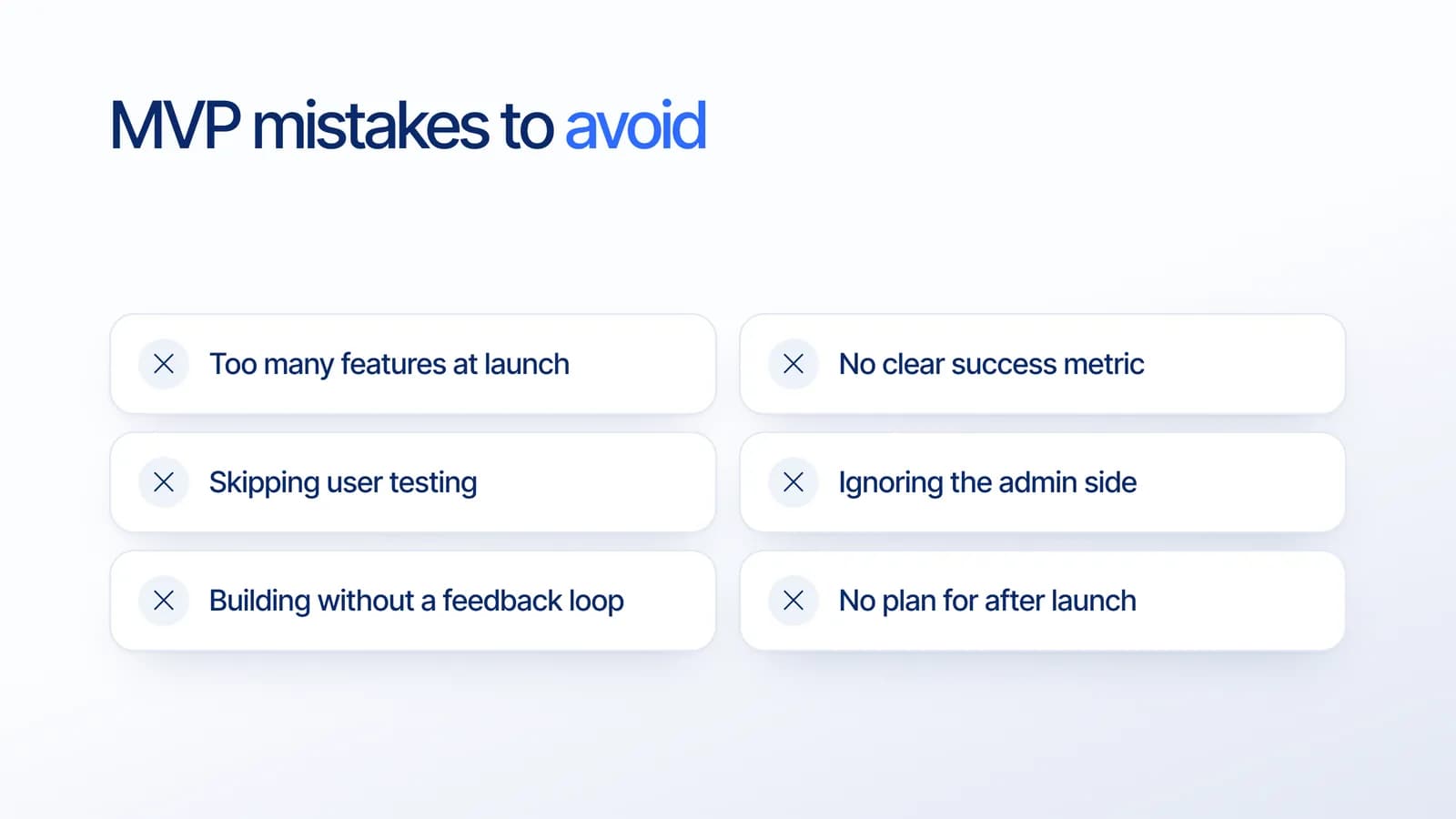
- Too many features at launch. Each extra feature delays learning and adds cost.
- No clear success metric. Without one, you cannot tell whether the MVP worked.
- Skipping user testing. A short test with five real users often reveals the biggest problems.
- Ignoring the admin side. Someone has to manage content, orders and users from day one.
- No feedback loop. Plan how users can tell you what is missing.
- No plan for after launch. Budget for fixes and the next iteration, not only the first release.
Web or mobile for your MVP?
Choose the platform where your users already are. A web app is often the fastest way to test with business users, while a mobile app suits products people use daily on their phones. Our comparison of web app vs mobile app helps you decide, and our guide to app development cost explains how scope affects the budget.
How Estontinc builds MVPs
We help founders and teams turn an idea into a launched MVP: from scoping and UI/UX design to web, mobile and custom software development. You see a demo every week, you own the source code, and fixed-price projects include 30 days of free support after launch, so the first real users are covered.
Have an idea you want to test? Tell us about it and we will reply within 24 hours with a suggested MVP scope, timeline and estimate.
Frequently asked questions
What is an MVP in software development?
An MVP, or minimum viable product, is the first version of a product that real users can use, built with the fewest features needed to deliver its core value. It helps a team learn whether people need the product and what to build next before investing in a full feature set.
What is the difference between an MVP and a prototype?
A prototype is usually a clickable design used to test whether an idea and its flow make sense, and it does not work with real data. An MVP is working software that real customers use. Teams often build a prototype first, then turn the validated flow into an MVP.
How long does it take to build an MVP?
It depends on the scope, the platforms and the integrations. A tightly scoped MVP focused on one core flow is much faster to build than a full product. Working in short sprints with weekly demos helps keep the timeline realistic and visible.
Should an MVP be a web app or a mobile app?
Build it where your users are. A web app is often faster for testing with business users and works on any device. A mobile app is better when people will use the product daily on their phones or when it needs features like the camera or notifications.
Sources
Facts and figures in this article come from these official sources.
- Guide
- MVP
- Startup
- Custom software
- UI/UX