EstontincPublished 4 min read
How to protect API keys in your app, and what to do when one leaks
GitHub now detects keys from Lovable, Supabase and Pydantic. Why hardcoded API keys are risky, what to do when one leaks, and a checklist to keep secrets out of your code.
Knowing how to protect API keys has become essential now that apps are built faster than ever, often with AI app builders and backend services like Supabase. On 5 October 2026, GitHub added secret scanning detectors for keys from Lovable, Supabase and Pydantic. It is a useful safety net, but the strongest protection is keeping secrets out of your code in the first place.
This guide explains why hardcoded keys are dangerous, what GitHub now detects, what to do the moment a key leaks, and a checklist we use to keep secrets out of a codebase.
Why hardcoded API keys are a risk
According to GitHub’s documentation, when credentials like API keys and passwords are committed to repositories as hardcoded secrets, they become targets for unauthorized access. Anyone who gets the key can act as your app: read data, send messages, or run up a bill on a paid service.
GitHub also describes “secret sprawl”, the uncontrolled spread of credentials across repositories. The more places a key lives, the harder it is to know who can use it and the slower it is to replace.
What GitHub secret scanning now detects
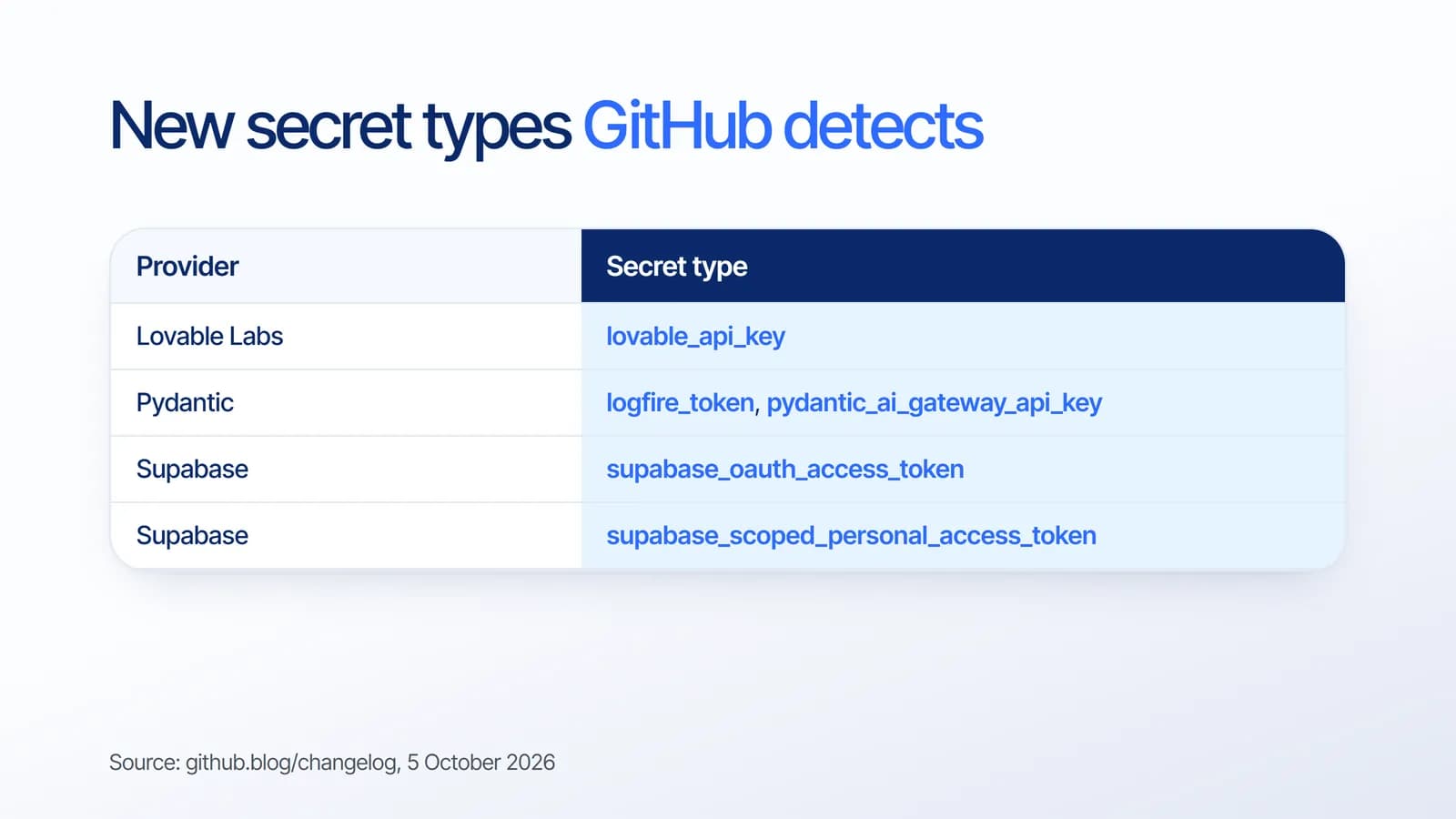
The 5 October update adds these secret types to GitHub’s automatic detection:
- Lovable Labs: lovable_api_key. Lovable also joined the secret scanning partner program.
- Pydantic Services: logfire_token and pydantic_ai_gateway_api_key.
- Supabase: supabase_oauth_access_token and supabase_scoped_personal_access_token.
Partner secrets found in public repositories are reported automatically to the company that issued them, so they can revoke or rotate the credential before it is abused. Other secrets generate alerts when found in public or private repositories. Secret scanning runs for free on public repositories, and is available for organization-owned private repositories with GitHub Secret Protection.
What to do when an API key leaks
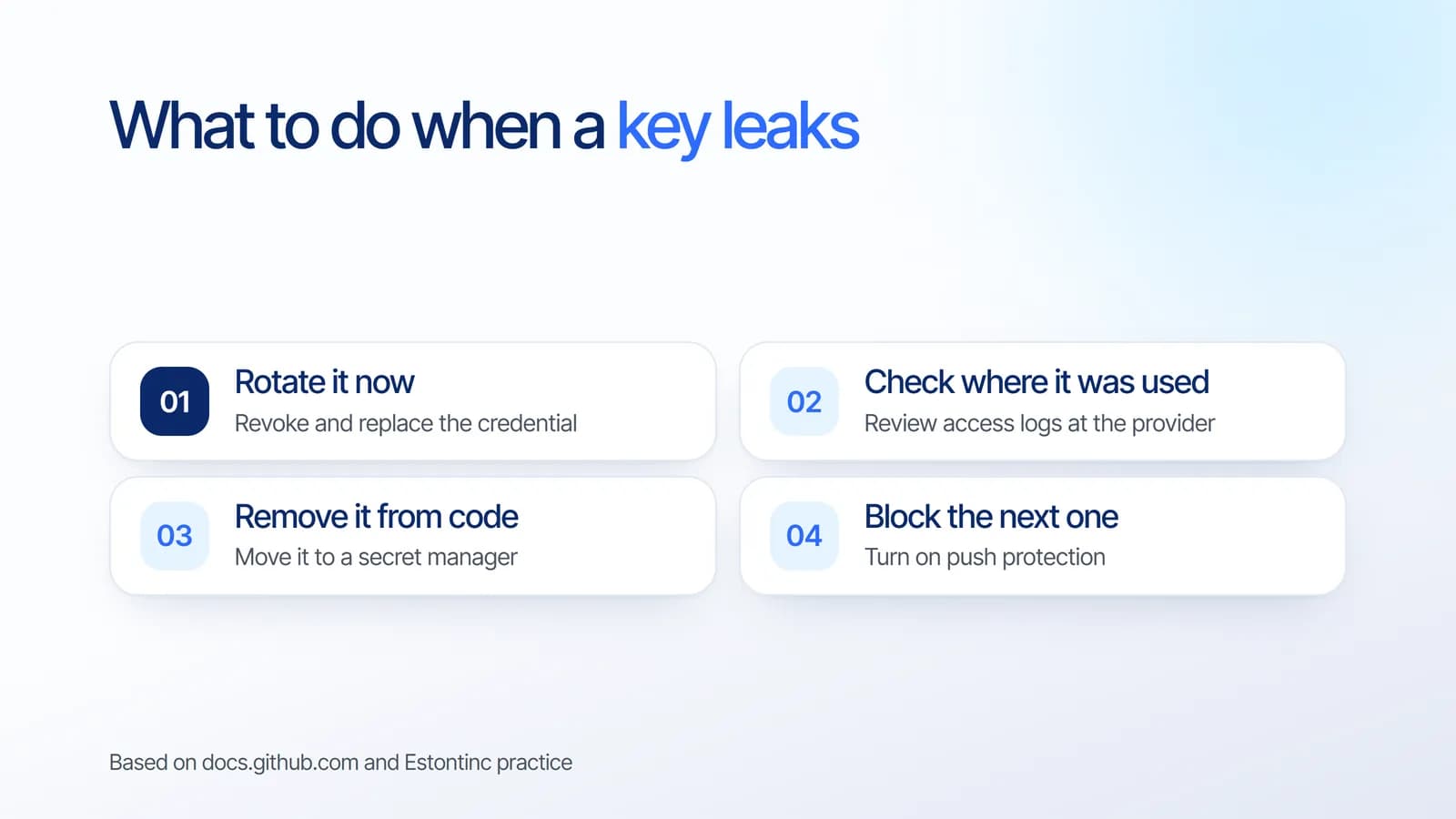
- Rotate the key immediately. GitHub’s guidance is to rotate the affected credential right away to prevent unauthorized access.
- Check where it was used. Review the provider’s logs for activity you do not recognize. This step is our recommendation, not part of GitHub’s guidance.
- Remove it from the code. Move the new key to an environment variable or a secret manager. Rewriting Git history is optional: GitHub notes it is time-intensive and often unnecessary once the key has been revoked.
- Block the next one. Turn on push protection so the same mistake is caught before it reaches the repository.
Push protection: stop secrets before they are pushed
Secret scanning finds leaks after the fact. Push protection works earlier: it blocks a push that contains a secret and explains why, so the developer can remove it and try again. It is disabled by default and can be enabled by a repository administrator, organization owner, security manager or enterprise owner.
Contributors can bypass a block by giving a reason, such as a test value or a false positive. When they do, GitHub creates an alert and notifies the people watching the repository, so bypasses stay visible.
API key security checklist
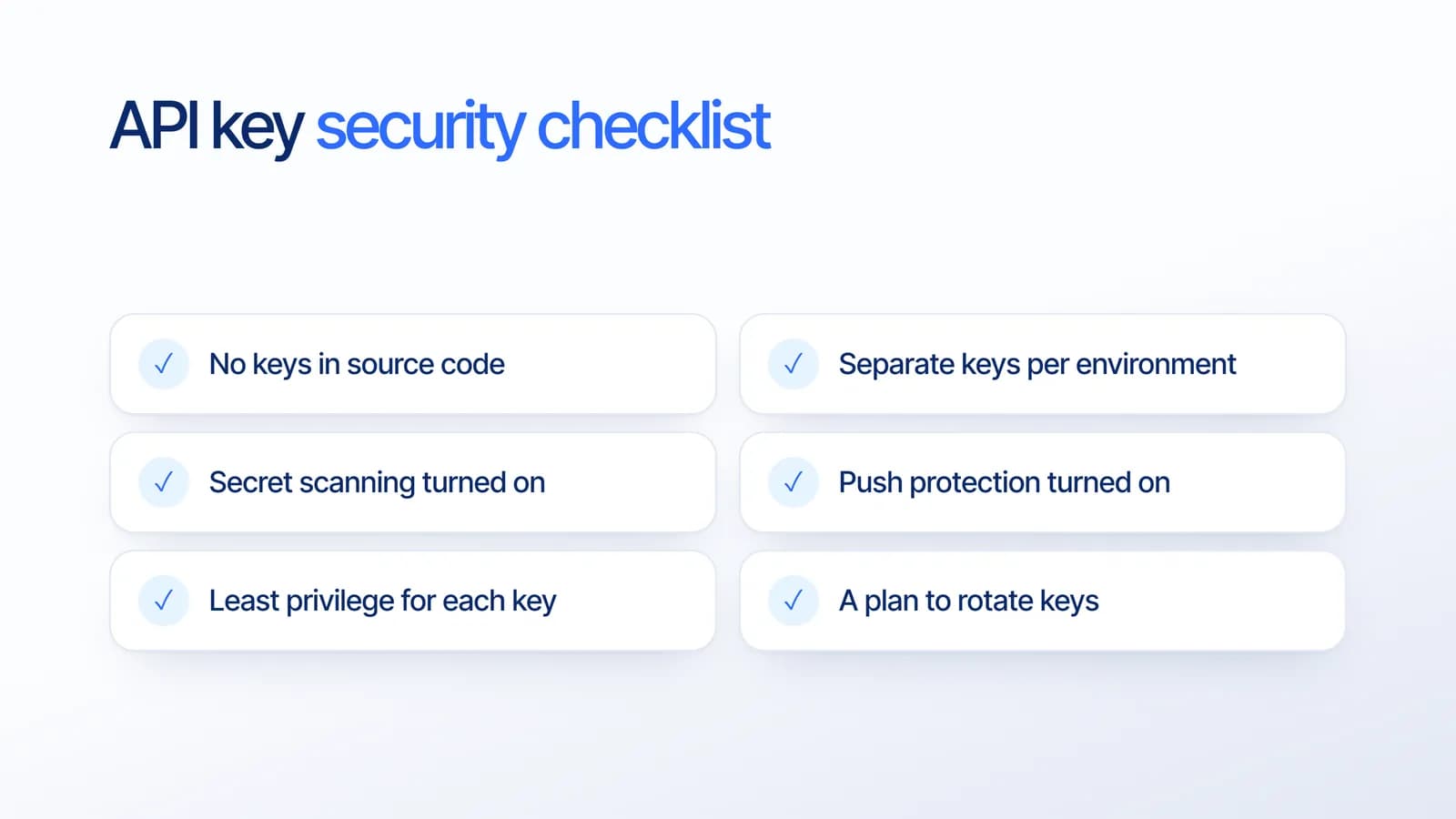
Based on our project experience, these are the habits that prevent most leaks:
- No keys in source code. Use environment variables or a secret manager, including in mobile and frontend projects.
- Separate keys per environment. Development, staging and production should never share a key.
- Secret scanning turned on for every repository.
- Push protection turned on so mistakes are blocked before they leave a laptop.
- Least privilege for each key. Give a key only the access it needs, and prefer scoped tokens where the provider offers them.
- A plan to rotate keys. Know who can replace each key and how long it takes.
If your app talks to AI services, the same rules apply to those keys. Our article on automating legacy software with AI also covers keeping a human approving sensitive actions.
What it means for your business
AI app builders have made it possible to launch a working product in days. That speed is valuable, but it also means more prototypes reach real users with keys sitting in the code. Detection tools help, yet they react after the fact. We suggest treating secret handling as part of moving any prototype to production, alongside testing and backups.
If you started with a quick prototype, our MVP development guide explains what to harden before you scale.
How Estontinc helps
Estontinc is a software house in Malang with 100+ projects and 50+ clients over more than six years. Through our web development service we audit and harden web apps, including ones that began as AI-built prototypes. Our cloud and DevOps team sets up secret managers, secret scanning and push protection in your pipeline.
We work under NDA and offer maintenance with monitoring and backups, so security stays in place after launch. Tell us about your app through the contact page and we will reply within 24 hours.
Frequently asked questions
How do I protect API keys in my app?
Keep keys out of source code by using environment variables or a secret manager, use separate keys per environment, and give each key only the access it needs. Turn on secret scanning to detect leaks and push protection to block secrets before they are pushed, and plan how you will rotate keys.
What should I do if my API key is leaked?
Rotate the affected credential immediately, as GitHub recommends, so the leaked key stops working. Then check the provider’s logs for unusual activity, move the new key into a secret manager, and turn on push protection. Rewriting Git history is often unnecessary once the key is revoked.
What does GitHub secret scanning detect?
It scans the full Git history on all branches for hardcoded credentials such as API keys, passwords and tokens. On 5 October 2026 GitHub added detectors for Lovable, Supabase and Pydantic keys. Partner secrets in public repositories are reported to the issuer so they can be revoked.
What is GitHub push protection?
Push protection is a secret scanning feature that blocks pushes containing secrets before they reach the repository and explains why. It is off by default and can be enabled by repository administrators or organization owners. Bypasses require a reason and create an alert.
Sources
Facts and figures in this article come from these official sources.
- App security
- Web development
- Custom software
- AI