
EstontincPublished 3 min read
What is a design system, and why AI design agents need one
A design system keeps a product consistent as it grows. What it contains, what Figma's agent coming out of beta changes, and a checklist for a system your team can use.
What is a design system? It is the shared set of colours, typography, components and rules that a product team uses to design and build every screen. Without one, each new page is designed from scratch and the product slowly drifts out of shape. On 6 October 2026, Figma announced that its AI design agent is moving out of beta, and the way it works makes a strong case for getting your design system in order.
This article explains what a design system contains, what the Figma agent can do with one, and how to build a system your designers and developers will actually use.
What a design system contains
- Design tokens: named values for colour, typography, spacing and corner radius, so the same blue is the same blue everywhere.
- Components: reusable buttons, inputs, cards and menus, with every state such as hover, disabled, loading and error.
- Usage rules: short written guidance on when to use which component, and what never to do.
- Specs for developers: sizes, behaviour and accessibility notes, so the coded product matches the design.
A design system is not a one-off file. It is a living product that someone owns and keeps current as the app grows.
What changed with the Figma agent
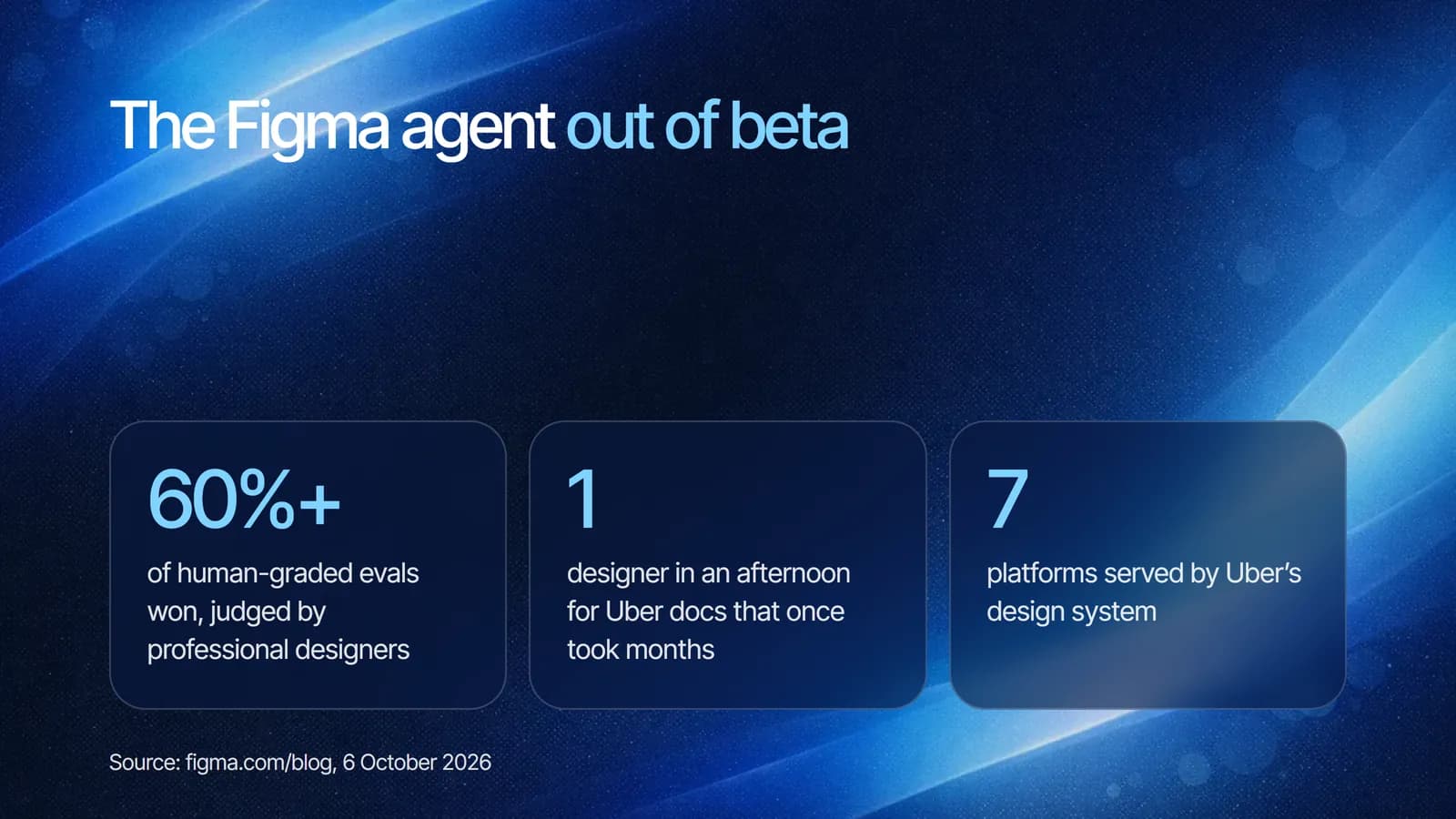
According to Figma, the new agent is better at following instructions and handling longer-running tasks, and wins in about 60%+ of its human-graded evals with professional designers. Alongside better quality, Figma launched new capabilities:
- Guidelines: markdown files that library owners upload to a Figma library, giving the agent context on how to use the design system. Figma's own example is a rule like “Only use red for actions like Delete, never just for decoration.”
- Context from across Figma: the agent can find and insert FigJam stickies, Figma Slides copy or Figma Design frames.
- Multiplayer agents: you can follow what your teammates' agents are doing on the canvas.
Figma also shared how teams use it. Uber's design system team ships components across seven platforms, and uses the agent with custom skills to document them. Documentation that once took multiple people months can now be published by a single designer in an afternoon.
The agent is available for Full seat users on Professional, Organization, Enterprise and some Education plans, with limited availability on the Starter plan.
Why AI design agents need a design system
Notice what the new features have in common: guidelines, libraries and tokens. An AI agent produces on-brand work when it has clear rules to follow. With a well-structured design system, the agent reuses real components and respects your usage rules. Without one, it can only guess, and you get faster inconsistency instead of faster progress.
The same is true for developers. Clean components and written specs reduce back and forth during handoff, which is often where launch dates slip. Our MVP development guide explains why a small, consistent first version ships sooner.
Checklist: a design system your team can use
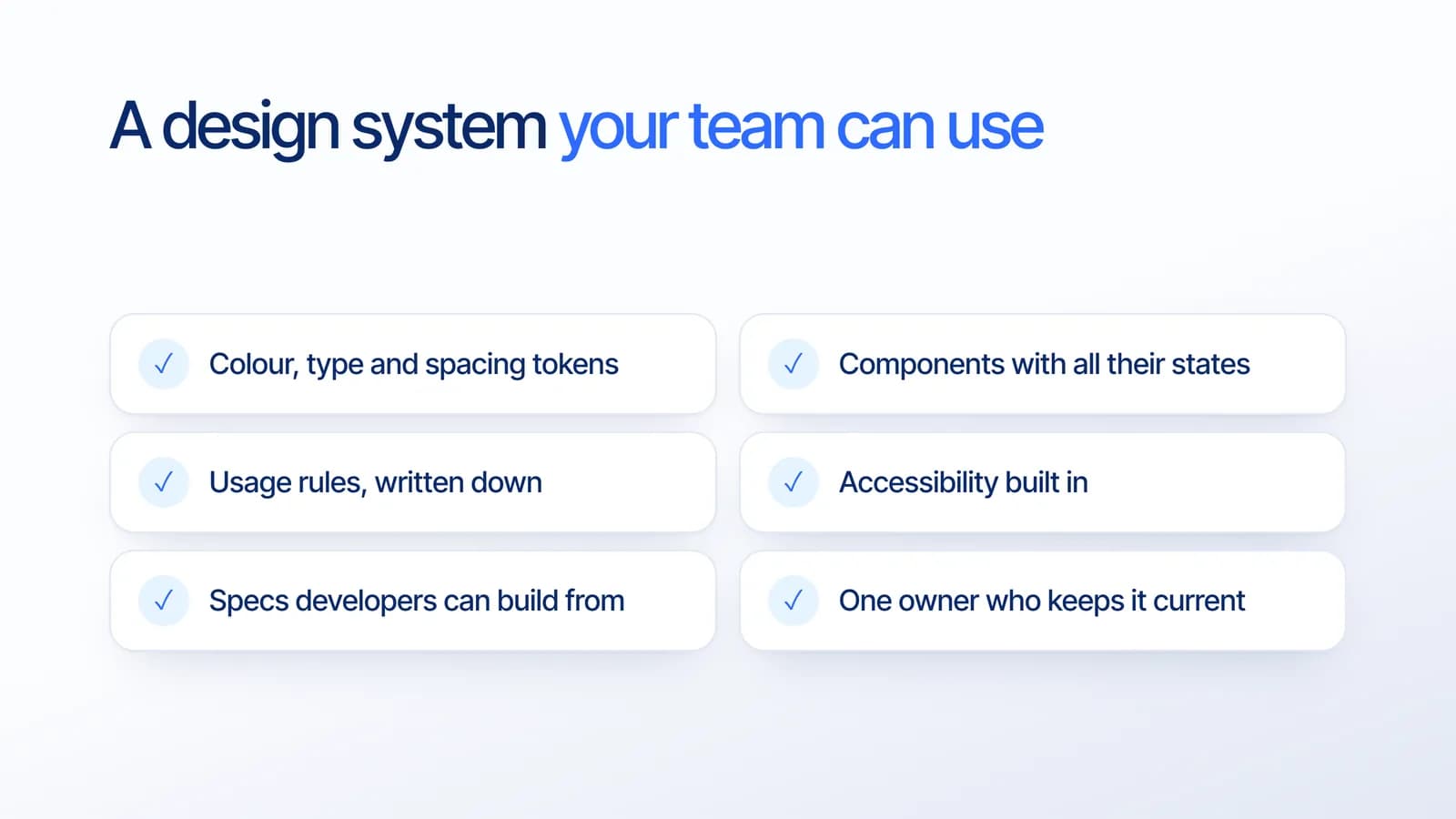
Based on our project experience, these are the parts that make a design system useful in daily work:
- Tokens for colour, type and spacing, named by purpose rather than by value.
- Components with all their states, including empty, loading and error, not only the happy path.
- Usage rules written down in short sentences, which both people and AI agents can follow.
- Accessibility built in, such as colour contrast and readable text sizes.
- Specs developers can build from, matched by the same components in code.
- One owner who reviews changes and keeps the system current.
You do not need all of this on day one. Start with tokens and your ten most used components, then grow the system as the product grows.
What it means for your business
Design tools are becoming faster with AI, but speed only helps if the output fits your brand and can be built. A design system is the foundation that makes both possible. It shortens design time, reduces rework between design and development, and keeps your product consistent as more people, and now more agents, work on it.
How Estontinc helps
Estontinc is a software house in Malang with 100+ projects and 50+ clients over more than six years. Our UI/UX design team builds design systems in Figma, with tokens, components and usage rules, and our web development and mobile app development teams build the same components in code, so design and product stay in sync.
Tell us about your product and its current design through the contact page, and we will reply within 24 hours with a suggested starting point.
Frequently asked questions
What is a design system?
A design system is the shared set of design tokens, reusable components, usage rules and developer specs that a product team uses to design and build every screen. It keeps a product consistent as it grows and reduces the time spent redesigning and rebuilding the same elements.
What is the difference between a design system and a UI kit?
A UI kit is a collection of ready-made interface elements. A design system includes those components but adds tokens, written usage rules, accessibility guidance and matching code, plus an owner who keeps it current. The rules and ownership are what keep a product consistent over time.
Is the Figma agent generally available?
Yes. On 6 October 2026, Figma announced that the Figma agent is moving out of beta. It is available for Full seat users on Professional, Organization, Enterprise and some Education plans, with limited availability on Starter. Collab, Dev and View seats can use it in their drafts.
Does a small company need a design system?
A small one, yes. Start with colour, type and spacing tokens and your most used components, with short usage rules. This keeps a growing product consistent, speeds up handoff to developers, and gives AI design tools clear rules to follow. You can expand it as the product grows.
Sources
Facts and figures in this article come from these official sources.
- UI/UX design
- Design system
- Figma
- AI