EstontincPublished 3 min read
How to secure your CI/CD pipeline, starting with GitHub Actions lockfiles
Supply chain attacks often target the tools that build and ship software. How a moved tag changes your pipeline, what GitHub's new lockfiles do, and a checklist to secure CI/CD.

How do you secure a CI/CD pipeline? Most teams protect their application code with reviews and tests, but the pipeline that builds and ships that code often runs third-party actions nobody checks again. On 14 October 2026, GitHub released workflow dependency lockfiles for GitHub Actions in public preview, a way to keep workflow runs tied to the exact commits you reviewed.
This article explains the risk lockfiles close, how they work, and a practical checklist to secure any CI/CD pipeline.
The risk: a moved tag runs different code
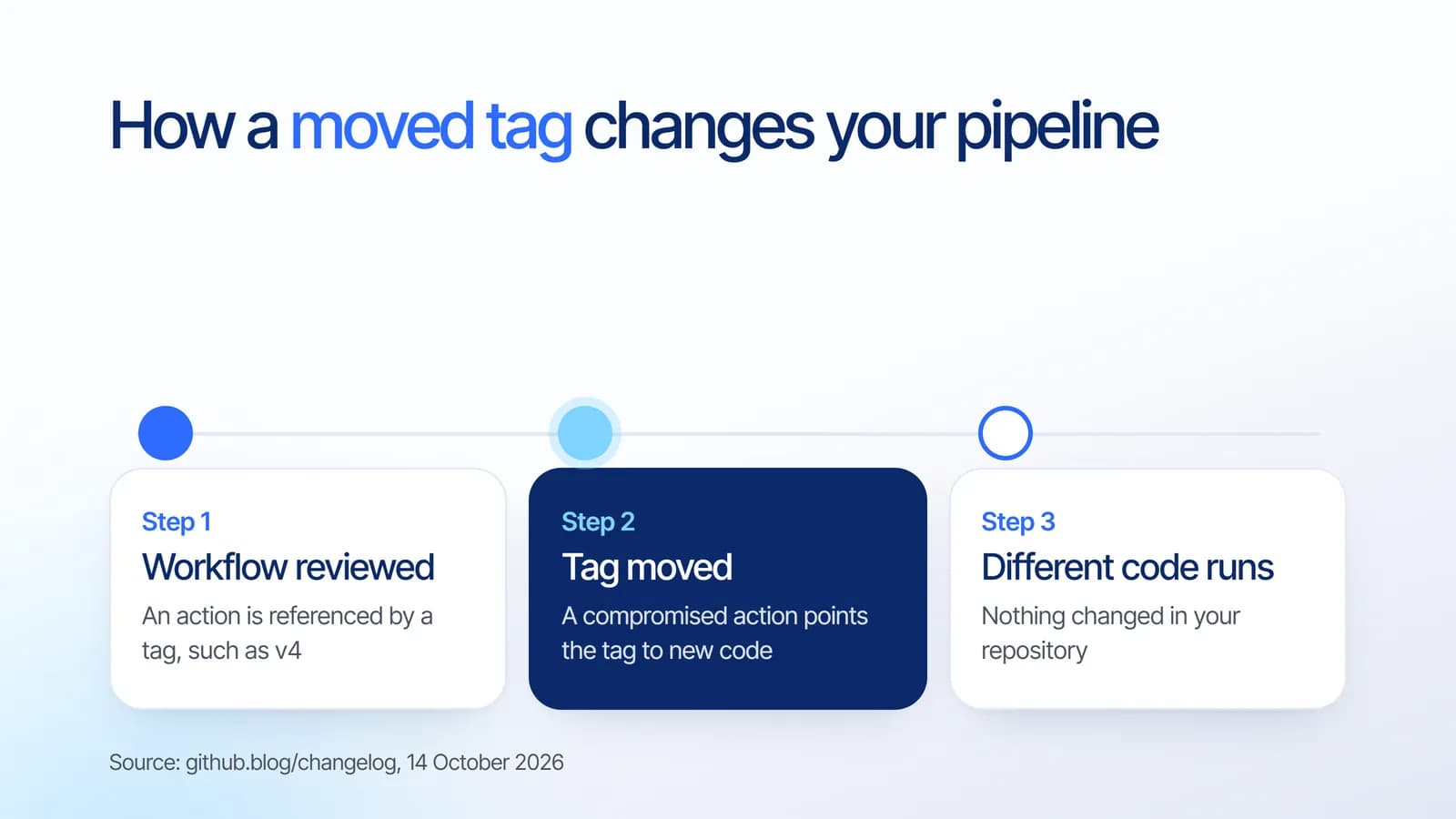
Workflows usually reference actions by a tag such as v4, or by a branch. GitHub explains the problem directly: tags and branches can move after you review a workflow, so a later run might execute different code. If an action is compromised, a moved tag or branch can introduce malicious code into your workflow without a change to your repository.
That matters because pipelines often hold deployment credentials and access to production. Code that runs there can reach far more than the repository it lives in.
What GitHub Actions lockfiles do
- Pin dependencies: the gh actions-lock extension for the GitHub CLI generates .github/workflows/actions.lock, with reviewable commits for actions, their transitive dependencies, and reusable workflows.
- Adopt gradually: workflows are onboarded one at a time. Once onboarded, a workflow must have lockfile entries for its dependencies, and GitHub Actions runs the recorded commits even if a tag or branch moves.
- Check for stale lockfiles: you can verify the lockfile is up to date without modifying files, including in a CI check.
- Enforce it: the Require lockfile policy lets enterprise, organization and repository administrators require lockfiles.
- Stay current with Dependabot: when Dependabot updates an action in an onboarded workflow, it regenerates the matching lockfile entry in the same pull request.
The preview is available for GitHub Enterprise Cloud and GitHub Enterprise Cloud with data residency. GitHub also adds an important caveat: locking does not determine whether a dependency is safe, so review dependencies before locking them.
CI/CD security checklist
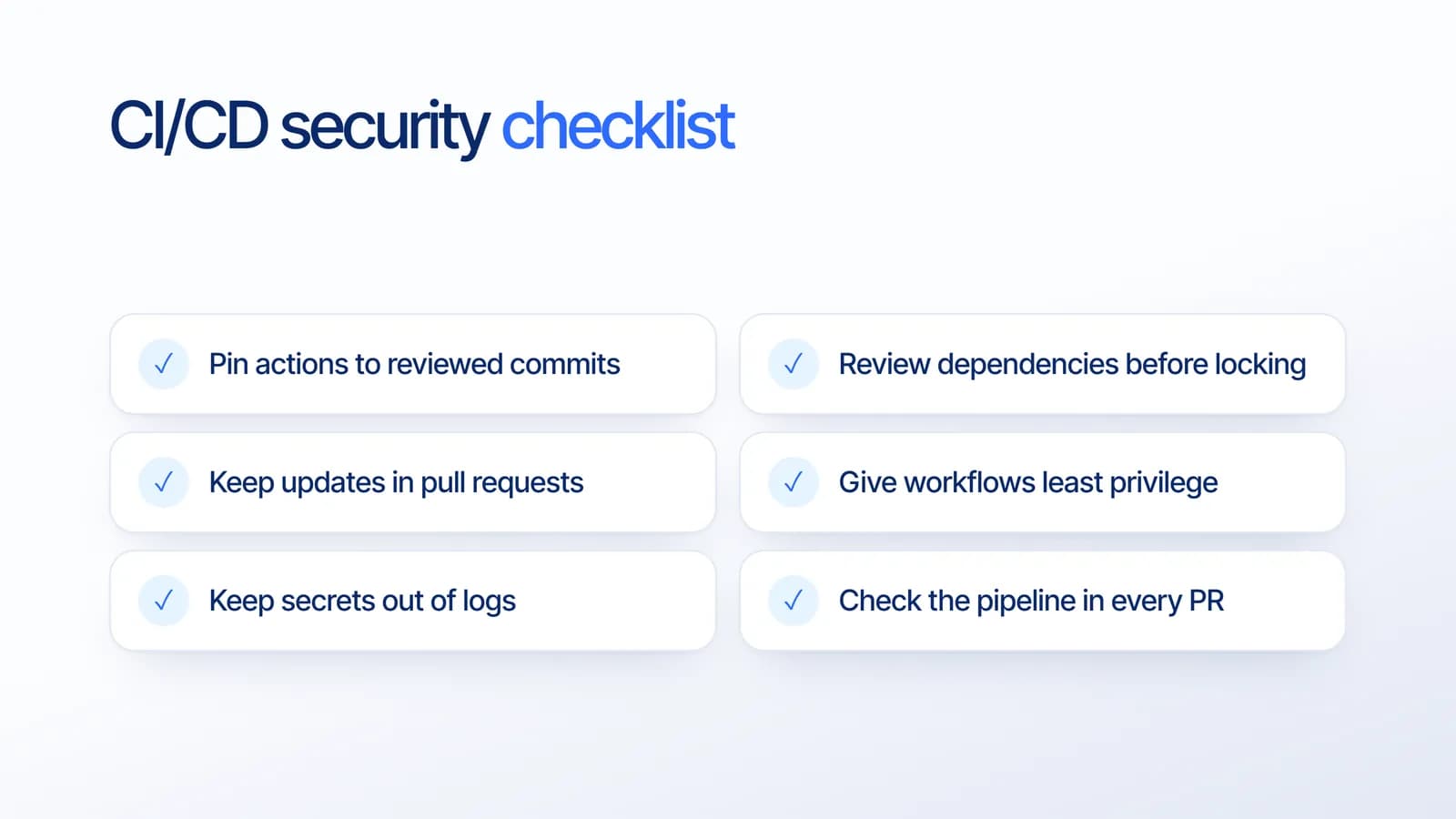
Lockfiles are one layer. Based on our project experience, these are the habits that keep a pipeline safe:
- Pin actions to reviewed commits, with lockfiles where available, so a moved tag cannot change what runs.
- Review dependencies before locking. A pinned malicious action is still malicious.
- Keep updates in pull requests, so every dependency change is visible and reviewed. Our guide to small pull requests shows why smaller changes are easier to review.
- Give workflows least privilege. Grant only the permissions and secrets each job needs.
- Keep secrets out of logs and out of code. See protecting API keys and keeping sensitive data out of logs.
- Check the pipeline in every pull request, including stale lockfile checks.
If your workflows still need updating for recent runner changes, our article on GitHub Actions moving to Node 24 and Ubuntu 26.04 covers what to check.
What it means for your business
Supply chain attacks rarely target your application directly. They target the tools that build and ship it. A pipeline locked to reviewed code, with tight permissions and clean logs, closes one of the quietest routes into your product and your customers' data.
How Estontinc helps
Estontinc is a software house in Malang with 100+ projects and 50+ clients over more than six years. Our cloud and DevOps team audits CI/CD pipelines, from action versions and permissions to secrets and dependency updates, and sets up safe release workflows. Through our custom software service we build and maintain the applications those pipelines ship.
Tell us about your CI/CD setup through the contact page, and we will reply within 24 hours.
Frequently asked questions
How do you secure a CI/CD pipeline?
Pin third-party actions to reviewed commits, review dependencies before trusting them, keep updates in pull requests, give each job only the permissions and secrets it needs, keep secrets out of logs, and check the pipeline in every pull request. Lockfiles help with the first step on GitHub Actions.
What are GitHub Actions workflow lockfiles?
They are files at .github/workflows/actions.lock that record the exact commits of the actions, transitive dependencies and reusable workflows a workflow uses. Once a workflow is onboarded, GitHub Actions runs those recorded commits even if a tag or branch moves. They are in public preview since 14 October 2026.
Why is referencing an action by tag risky?
Tags and branches can move after you review a workflow. If an action is compromised, its tag can be pointed at malicious code, and your next run executes it without any change in your repository. Pinning to a reviewed commit keeps the code that runs the same as the code you checked.
Does a lockfile make an action safe?
No. GitHub notes that locking does not determine whether a dependency is safe. A lockfile only guarantees that the same reviewed commit runs every time. Review each action before locking it, and keep reviewing updates that Dependabot proposes in pull requests.
Sources
Facts and figures in this article come from these official sources.
- Cloud & DevOps
- Security
- GitHub
- CI/CD