
EstontincPublished 3 min read
How to update Next.js safely, after the 14 October 2026 security patch
The Next.js security patches are out. What the three vulnerabilities affect, which versions to install, and a step by step way to update Next.js without surprises in production.

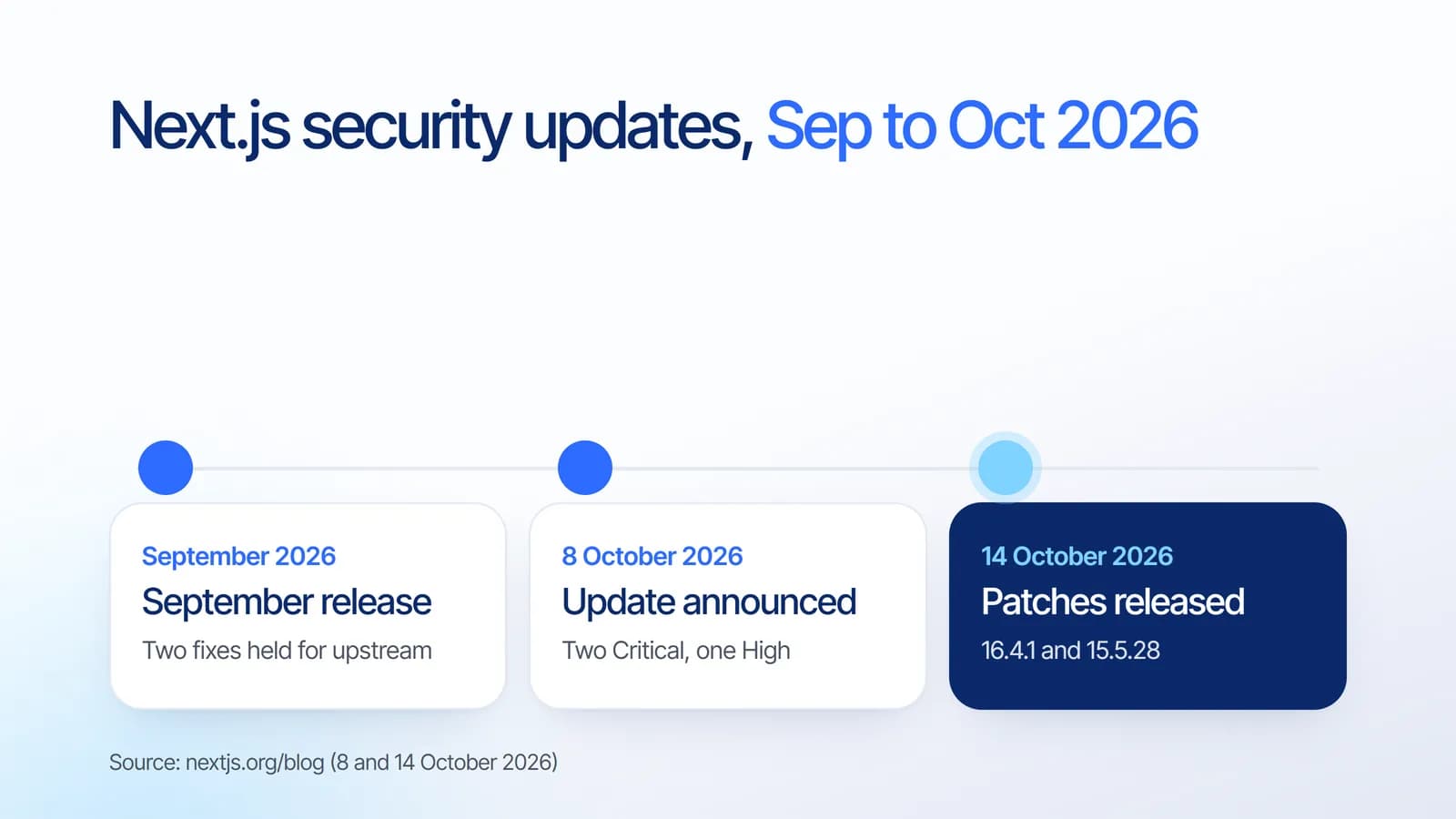
How do you update Next.js safely? The question became urgent on 14 October 2026, when the Next.js team released v16.4.1 (Active LTS) and v15.5.28 (Maintenance LTS) to fix three vulnerabilities, two of them rated Critical. The team asks everyone to patch their Next.js dependencies to keep applications secure.
This article summarises what the patch fixes, who is affected, and a careful way to update without breaking your live site.
What the 14 October patch fixes
- Critical, remote code execution in use cache: in App Router apps with Cache Components, a use cache function that returns multiple typed arrays can lead to unauthenticated remote code execution. There is no known workaround, and the team advises upgrading immediately even if your app has no similar functions.
- Critical, remote code execution in Image Optimization with SVG: a memory-related issue in an upstream library can lead to remote code execution when Next.js runs on glibc-based Linux. As a workaround, make sure the version of sharp used by Next.js is 0.35.5 or later.
- High, denial of service with Server Actions: crafted requests to App Router apps with at least one Server Action can cause excessive CPU usage and block other requests. Apps using Pages Router or no Server Actions are not affected.
Two of these fixes were postponed from the September release because of upstream coordination. Our article on the September Next.js security release covers that earlier round.
Which version to install
- On Next.js 16.4: run npm install next@16.4.1.
- On Next.js 15.5: run npm install next@15.5.28.
- Image Optimization on Linux: upgrading Next.js lets package managers provide a fixed sharp automatically. If you cannot upgrade yet, make sure sharp is 0.35.5 or later.
If you are on an older release line, plan an upgrade to a supported version. Our guide to Next.js 16.4 and Cache Components explains what changed in the current release.
How to update Next.js safely
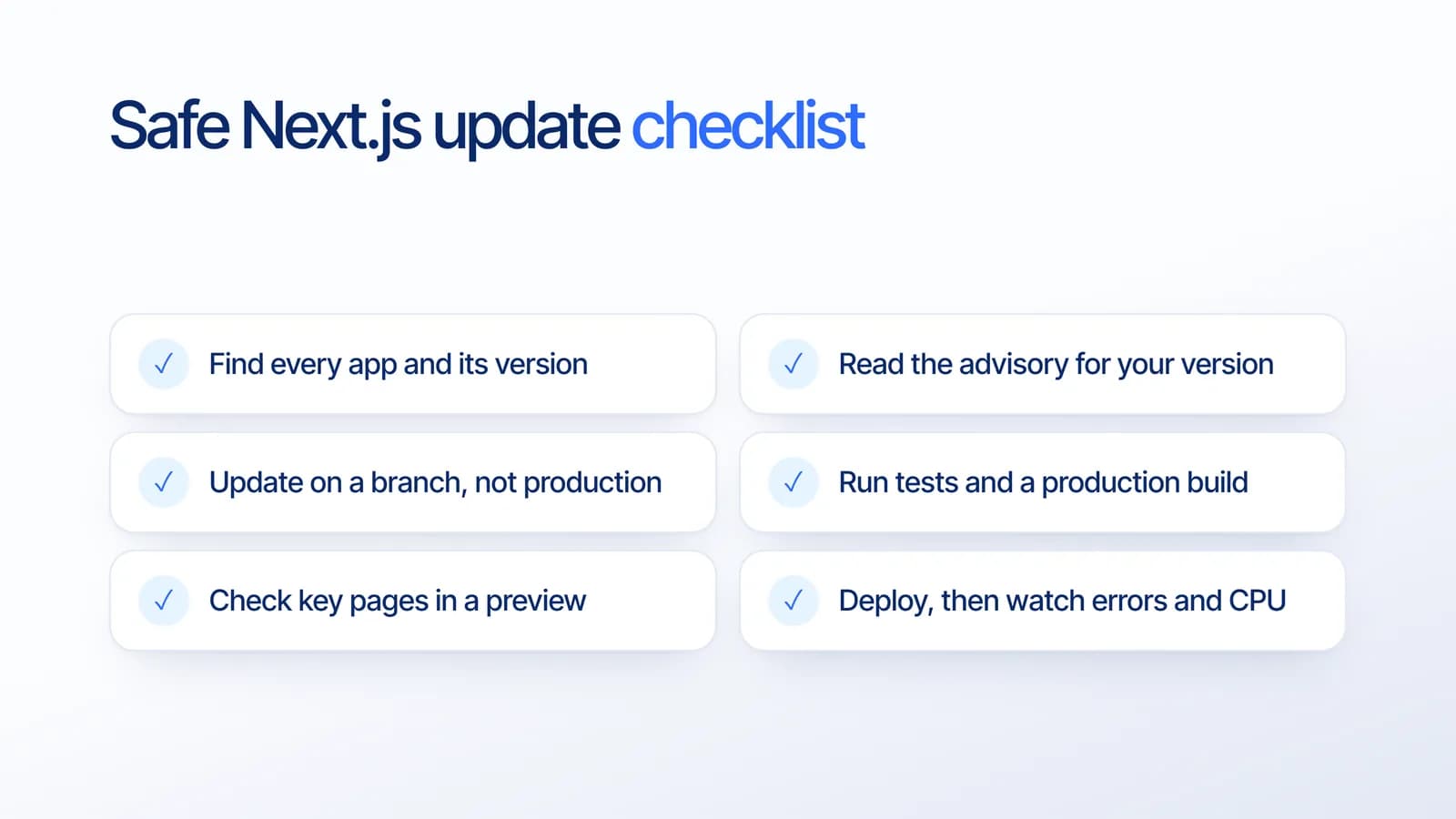
Based on our project experience, this order keeps security updates fast without risking the live site:
- Find every app and its version. Marketing sites, dashboards and internal tools often run different versions.
- Read the advisory for your version to see whether you use the affected features, such as Cache Components, Image Optimization or Server Actions.
- Update on a branch, not directly in production, and commit the updated lockfile.
- Run tests and a production build. A build catches most breaking changes before users do.
- Check key pages in a preview deployment: home, login, checkout and any page using images or forms.
- Deploy, then watch errors and CPU for the first hours, so any regression is caught early.
A pipeline that runs these checks automatically makes the whole process take hours rather than days. Our article on securing your CI/CD pipeline covers how to set that up safely.
What it means for your business
The riskiest time for a vulnerability is right after it is published, because the details are public. A website that can be patched, tested and deployed within a day is in a much safer position than one that needs weeks. Regular maintenance is what makes that speed possible.
How Estontinc helps
Estontinc is a software house in Malang with 100+ projects and 50+ clients over more than six years. Through our web development service we maintain Next.js sites, apply security patches with proper testing, and plan upgrades. Our cloud and DevOps team sets up preview deployments and monitoring so patches ship quickly and safely.
Not sure whether your site is patched? Send us its address through the contact page, and we will reply within 24 hours.
Frequently asked questions
Which Next.js versions fix the October 2026 vulnerabilities?
Next.js 16.4.1 for the Active LTS line and 15.5.28 for the Maintenance LTS line, released on 14 October 2026. Install them with npm install next@16.4.1 or npm install next@15.5.28, depending on the release line your application currently uses. Older lines should move to a supported version.
Is my Next.js app affected?
The use cache issue affects App Router apps with Cache Components, the image issue affects Image Optimization on glibc-based Linux, and the denial of service issue affects App Router apps with Server Actions. Pages Router apps without Server Actions avoid the third issue. Upgrading is still the safest choice.
Is there a workaround if I cannot update Next.js yet?
Only for the image issue: make sure the sharp package used by Next.js is 0.35.5 or later. The use cache vulnerability has no known workaround, so the Next.js team advises upgrading immediately, even if your application does not use similar functions.
How do I update Next.js without breaking my site?
Update on a branch rather than in production, run your tests and a production build, check the most important pages in a preview deployment, then deploy and monitor errors and CPU usage. This keeps security updates fast while catching problems before your users notice them.
Sources
Facts and figures in this article come from these official sources.
- Web development
- Next.js
- Security
- Maintenance