EstontincPublished 2 min read
Sell your app subscriptions to businesses and schools: Apple multiseat explained
Organizations can now buy many seats of your subscription in one In-App Purchase. What Apple announced, how it differs from individual plans, and a checklist to get your app ready.
Can a whole company or school buy your app at once? Starting 22 October 2026, yes. Apple announced multiseat purchasing for auto-renewable subscriptions, so organizations using Apple Business or Apple School Manager can buy your subscription in volume.
This article explains what changed, how multiseat differs from individual subscriptions, the dates to note, and how to prepare your app.
What Apple announced
- Volume purchasing for organizations. Businesses and educational institutions that use Apple Business or Apple School Manager can discover and buy your auto-renewable subscription.
- One In-App Purchase, many seats. Organizations buy the seats they need through a single Apple In-App Purchase, then assign and manage them with their existing device management tools.
- Flexible seat counts. Organizations can add and remove seats at any time.
- On by default. Multiseat purchasing is enabled in App Store Connect unless you previously adjusted the setting, and you can change availability at any time.
Individual vs multiseat subscriptions
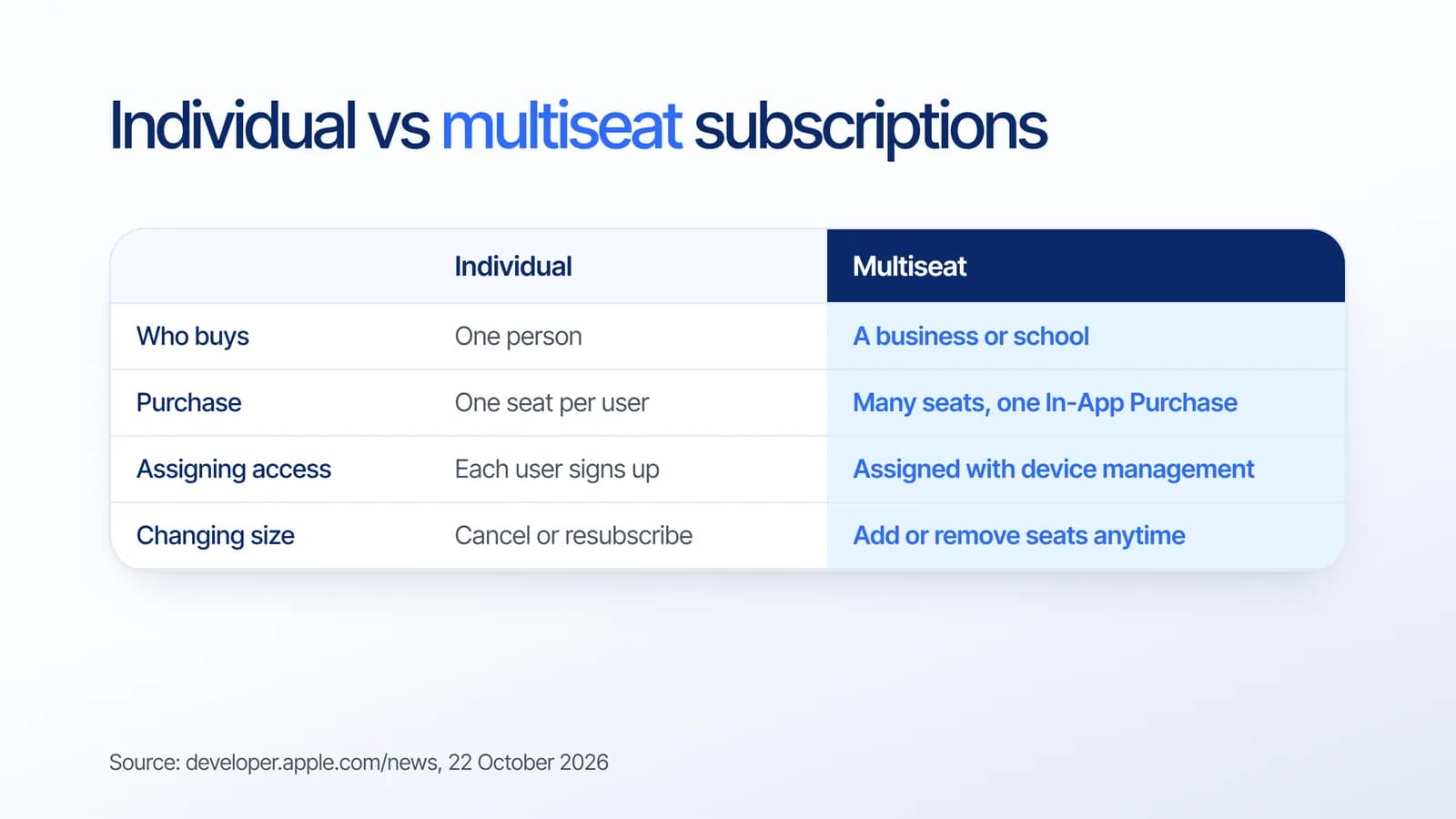
For a subscription app, this opens a business and education channel without building a separate sales and billing flow. The purchase still runs through Apple, while the organization handles who gets a seat.
Dates to note
- 22 October 2026: organizations can buy subscriptions in volume through Apple Business and Apple School Manager.
- 28 October 2026: you can configure and test group purchases in your Sandbox Apple Account.
- This winter: group purchases arrive on the App Store, letting people buy multiple seats and invite others.
Checklist: getting your app ready
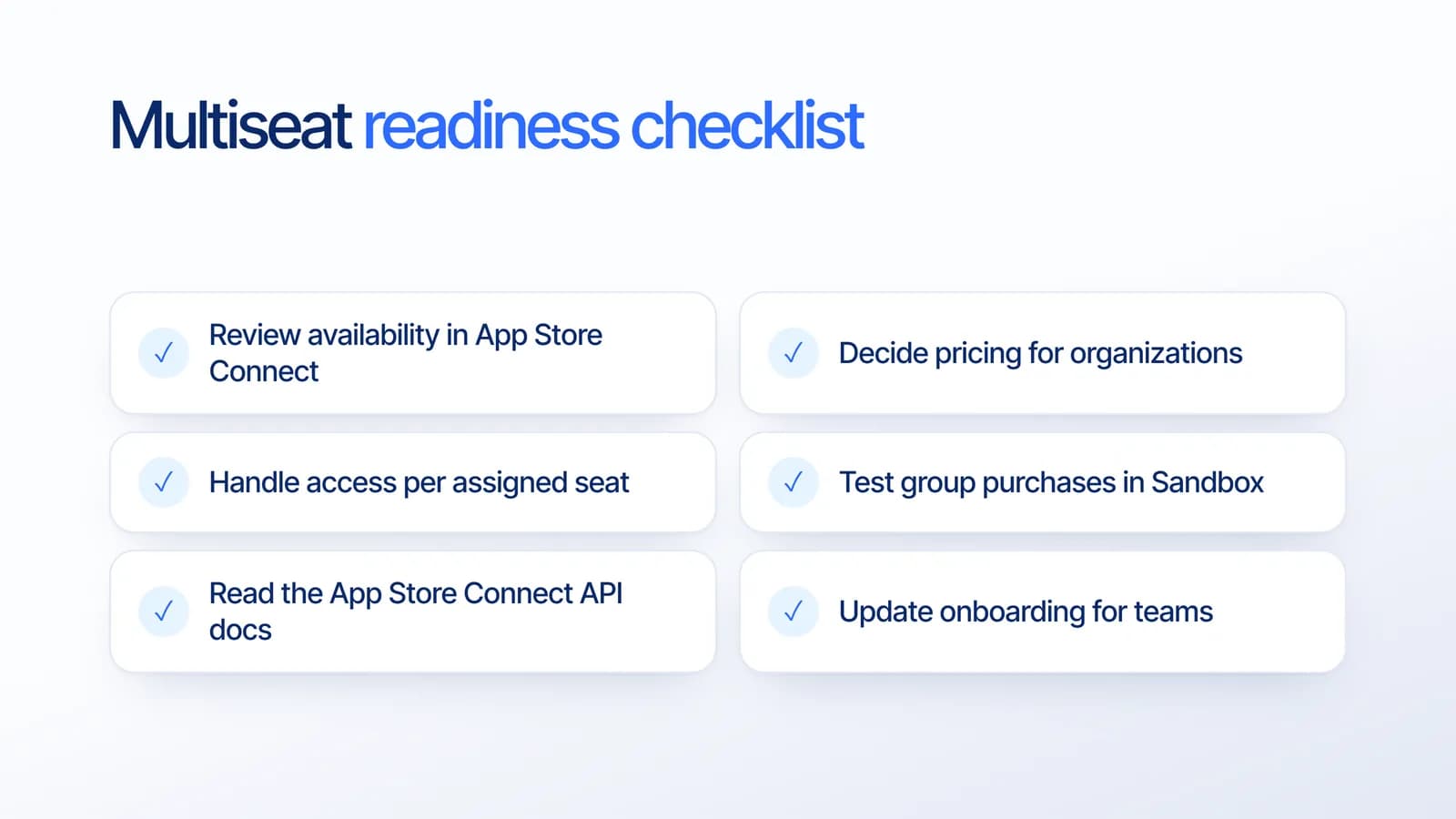
Based on Apple's announcement and our own app projects, these are the steps worth planning:
- Review availability in App Store Connect and choose whether your subscription is offered through Apple Business, Apple School Manager and the App Store.
- Decide pricing for organizations, so volume buyers see a plan that makes sense for teams.
- Handle access per assigned seat, so features unlock correctly for every person who receives a seat.
- Test group purchases in Sandbox once it opens on 28 October 2026.
- Read the App Store Connect API docs on configuring multiseat subscriptions if you manage products programmatically.
- Update onboarding for teams, with clear first steps for people who did not buy the app themselves.
Any subscription change still goes through review. See our guides on passing App Store review and subscription bundles in iOS 27.
What it means for your business
Many apps already have teams using them on personal plans. Multiseat purchasing gives those teams an official way to buy together, which can mean larger, steadier contracts from offices and schools. The apps that benefit first are the ones whose access logic and onboarding are ready for shared seats.
How Estontinc helps
Estontinc is a software house in Malang with 100+ projects and 50+ clients over more than six years. Through our mobile app development service we build iOS and Android apps with subscription and in-app purchase integrations, and our custom software team builds the account and access systems behind them.
Want your app ready for organizational buyers? Tell us about it through the contact page, and we will reply within 24 hours.
Frequently asked questions
What is multiseat purchasing on the App Store?
Multiseat purchasing lets organizations and schools that use Apple Business or Apple School Manager buy many seats of an auto-renewable subscription through a single Apple In-App Purchase. They then assign and manage those seats with their existing device management tools, and can add or remove seats at any time.
Do developers need to turn multiseat purchasing on?
No. According to Apple, multiseat purchasing is enabled by default in App Store Connect unless you previously adjusted the setting. Your subscription then becomes available through Apple Business, Apple School Manager and the App Store, and you can change these availability options at any time.
When can I test group purchases?
Apple says that beginning 28 October 2026 you can configure and test group purchases in your Sandbox Apple Account. Group purchases, which let people buy multiple seats and invite others to access the subscription, are planned to arrive on the App Store this winter.
How should I prepare my app for organizational buyers?
Review availability settings in App Store Connect, decide pricing for teams, and make sure features unlock correctly for each assigned seat. Then test group purchases in Sandbox, read the App Store Connect API documentation for multiseat subscriptions, and update onboarding for people who receive a seat.
Sources
Facts and figures in this article come from these official sources.
- iOS
- App Store
- Subscriptions
- Mobile development