EstontincPublished 3 min read
How to pass App Store review after Apple's October 2026 guideline update
Apple's latest App Review Guidelines add rules on hidden features and AI-generated content. What changed, what Apple enforced last year, and a checklist to get approved without delays.
How do you pass App Store review? Every iOS app is reviewed by Apple against the App Review Guidelines before it reaches users. On 16 October 2026, Apple revised those guidelines to support new features, update policies and add clarifications. Some of the changes carry serious consequences: removal from the App Store and termination of the developer account.
This article covers what changed, what Apple enforced in the past year, and a practical checklist to get your app approved the first time.
What changed on 16 October 2026
- 2.5.19, hidden features (new): apps must not include hidden, dormant or undocumented features, and must not change what they do after approval. Apple says attempting to hide features, for example through code obfuscation, is grounds for removal of the app and termination of the developer account.
- 1.2, user-generated content: apps must proactively prevent and remove nonconsensual intimate imagery, including imagery generated with AI tools. Developers who fail to implement safeguards, or do not fix violations after notice, risk breaching the Developer Code of Conduct.
- 2.3.14, creative assets (new): creative assets must relate to your app or brand, follow metadata guidelines and be appropriate for all audiences, without misleading references, unverifiable claims or specific pricing.
- 3.1.1(a), purchase links: the music streaming entitlement is now part of the StoreKit External Purchase Link Entitlements, and Apple clarified that links may point to a permitted destination.
Apple also clarified Section 5, and added documentation links to the Before You Submit and After You Submit sections. Translations of the updated guidelines will follow within one month.
Why Apple is tightening enforcement
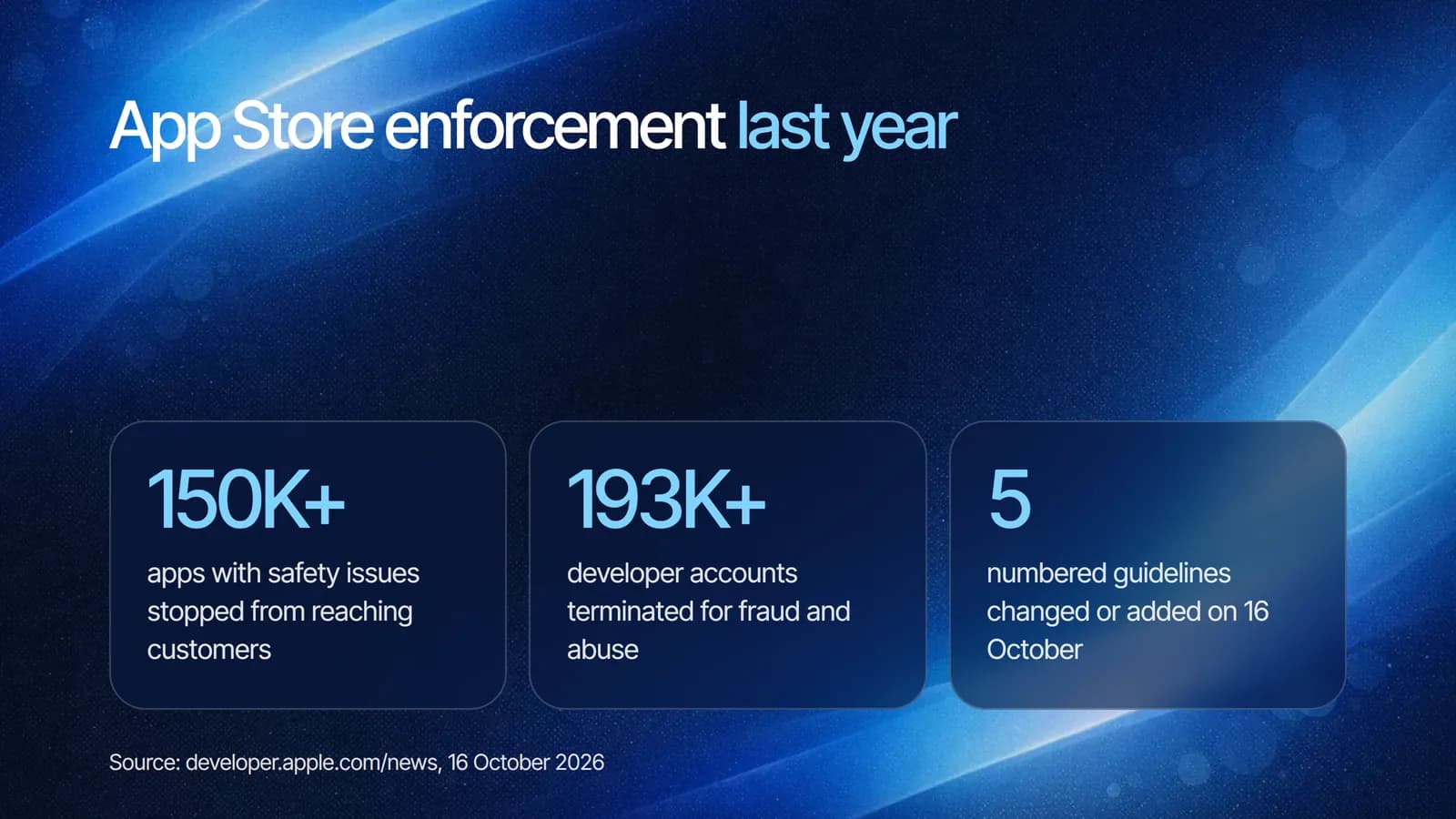
According to Apple, last year it prevented over 150,000 apps with safety issues from reaching customers and terminated over 193,000 developer accounts for fraud and abuse. In some cases, malicious actors concealed harmful content that only became active after an app was approved. That is exactly the behaviour the new 2.5.19 rule targets.
Checklist before you submit
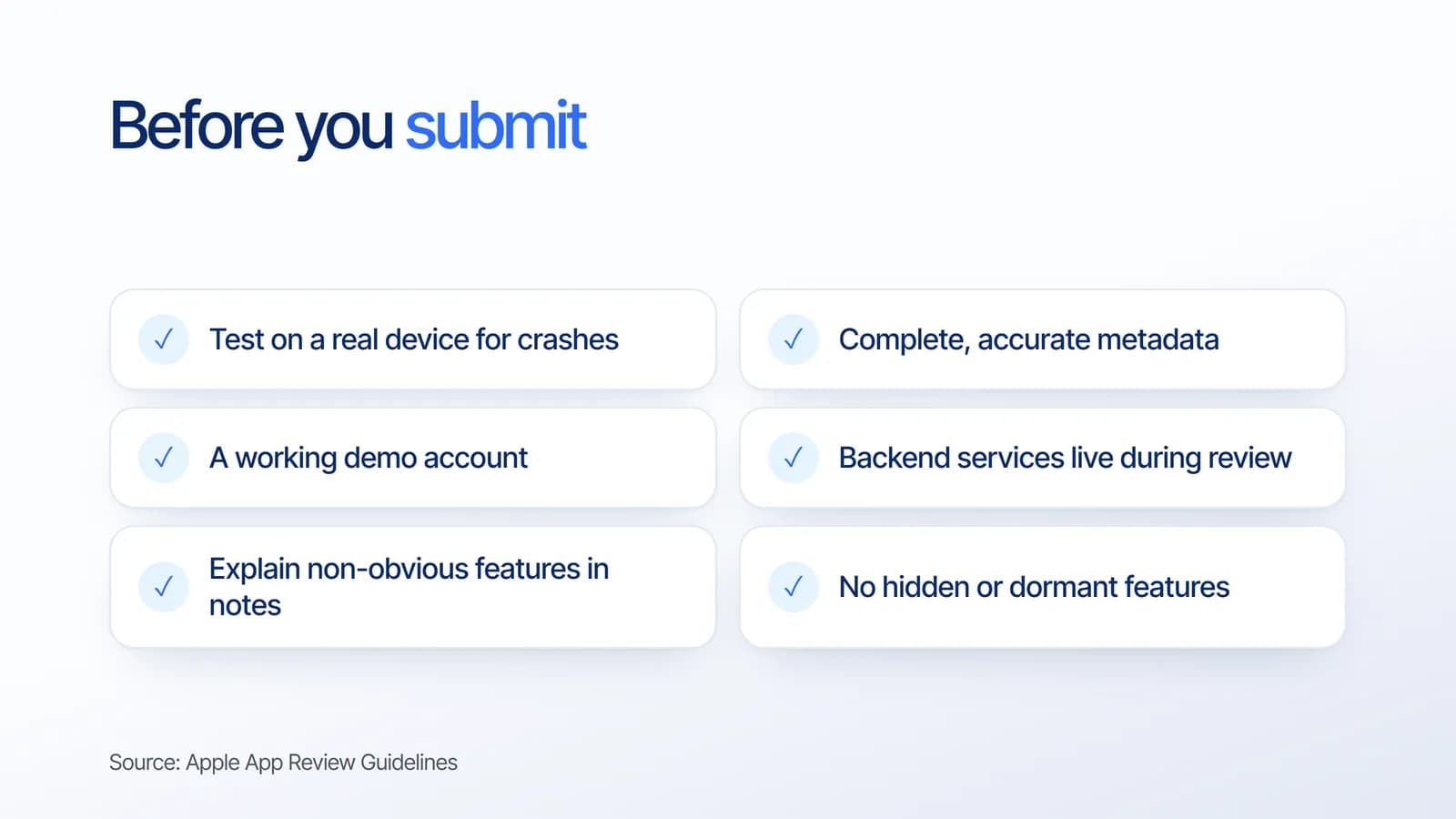
Apple's own Before You Submit guidance and Guideline 2.1 on app completeness list the basics that prevent most delays:
- Test on a real device for crashes and bugs. Apple rejects binaries that crash or show obvious technical problems.
- Complete, accurate metadata, with working URLs and no placeholder text.
- A working demo account or a fully featured demo mode if your app has a login.
- Backend services live and accessible during review.
- Explain non-obvious features and in-app purchases in the App Review notes. Apple says generic descriptions of new features will be rejected.
- No hidden or dormant features. Everything the app can do should be visible to App Review.
If your app lets users post content or uses AI to generate images or text, add filtering, a way to report content and a way to block abusive accounts, as Apple already requires for user-generated content. Planning a launch on new Apple hardware too? Our guide to preparing apps for iPhone Duo covers what to test.
What it means for your business
A rejected build delays a launch by days. A removed app and terminated account can end a product. Treating App Review as part of development, not a last step, protects both your timeline and your business. Transparent releases, where every new feature goes through review, are now the only safe approach.
Still deciding whether you need a native app at all? Our comparison of a web app vs a mobile app can help.
How Estontinc helps
Estontinc is a software house in Malang with 100+ projects and 50+ clients over more than six years. Through our mobile app development service we build iOS apps and check them against the latest App Review Guidelines before submission, including moderation features for user content. Our UI/UX design team prepares App Store assets that follow Apple's metadata rules.
Tell us about your app through the contact page, and we will reply within 24 hours.
Frequently asked questions
What changed in Apple's App Review Guidelines in October 2026?
On 16 October 2026, Apple added Guideline 2.5.19 on hidden or dormant features and 2.3.14 on creative assets, expanded 1.2 to cover nonconsensual intimate imagery including AI-generated content, clarified purchase links under 3.1.1(a), and clarified Section 5 of the guidelines.
Why do apps get rejected from the App Store?
Common reasons include crashes and obvious bugs, incomplete or inaccurate metadata, placeholder content, missing demo accounts for apps with a login, backend services that are offline during review, and features or in-app purchases that are not explained in the App Review notes.
Can Apple remove my app after it is approved?
Yes. Apple says apps that hide features during review and change after approval are subject to removal from the App Store and from the Apple Developer Program. Apps with user content that fail to prevent prohibited material, or do not fix violations after notice, also risk removal.
How can I pass App Store review the first time?
Test on a real device, complete your metadata, provide a working demo account, keep your backend live, explain non-obvious features and purchases in the review notes, and make sure no feature is hidden. Reading the latest guidelines before each submission helps avoid surprises.
Sources
Facts and figures in this article come from these official sources.
- Mobile app development
- iOS
- App Store
- Apple